Best Desktop Computer Types for Every User
Desktop computers are the practical choice for users who want performance, upgradeability, large displays, and comfortable workspaces. While laptops offer portability, desktops often provide more processing power for the money and greater flexibility when upgrading components.
However, desktop computers are not all designed for the same purpose. A compact mini PC can be ideal for everyday tasks, while a powerful gaming desktop may be better suited for demanding games and high-performance applications. All-in-one computers focus on simplicity and clean desk setups, whereas workstation PCs are built for professional workloads.
Understanding the best desktop computer types can make it easier to choose a computer that matches your budget, workload, space, and performance requirements.
Table of Contents
Why Choose a Desktop Computer?
Desktop computers have several advantages over portable systems. Their larger chassis can accommodate more powerful processors, dedicated graphics cards, additional storage drives, and improved cooling systems. They are also generally easier to repair and upgrade. Users can often replace or add RAM, storage, graphics cards, cooling components, and other hardware instead of replacing the entire computer. Another advantage is ergonomics. A desktop can be paired with a large monitor, full-size keyboard, comfortable mouse, and other accessories, making it suitable for extended work or entertainment sessions. The key is selecting the right desktop category for your particular needs.
1 Full-Size Tower Desktop
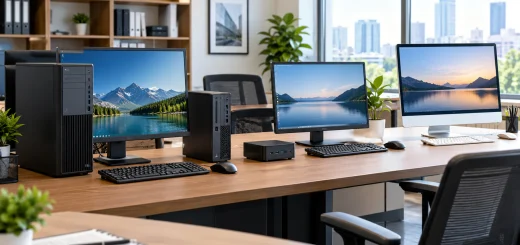
A traditional tower PC is one of the most versatile desktop computer types available. It typically provides multiple expansion slots, storage bays, memory slots, and room for powerful cooling solutions. Tower desktops are suitable for users who want flexibility and long-term upgrade potential. They can be configured for office work, gaming, content creation, programming, or general-purpose computing.

Modern workstation featuring a traditional tower desktop PC with visible internal components, large monitor, keyboard, and mouse.
One of their biggest advantages is customization. You can select the processor, graphics card, RAM, storage, power supply, and cooling system based on your requirements. Best for: Home users, enthusiasts, gamers, professionals, and users who want future upgrades.
2 Gaming Desktop
Gaming desktops are designed for demanding graphics-intensive workloads. They typically combine a powerful CPU with a dedicated GPU, fast SSD storage, sufficient RAM, and effective cooling. A gaming PC is not limited to gaming. The same hardware can handle video editing, 3D rendering, streaming, game development, and other demanding applications.

High-performance gaming desktop with powerful tower PC, high-refresh-rate monitor, gaming keyboard, mouse, headset, and RGB cooling fans.
Another benefit is upgradeability. Gamers can replace the graphics card, add memory, install additional storage, or upgrade other components as requirements change. When buying a gaming desktop, pay attention to the graphics card, processor, RAM capacity, SSD performance, power supply, and cooling system rather than focusing only on appearance. Best for: PC gaming, streaming, 3D applications, game development, and demanding multimedia workloads.
3 All-in-One Desktop
An all-in-one (AIO), integrates the computer hardware into the display. This eliminates the need for a separate desktop tower and creates a cleaner, less cluttered workspace. All-in-one computers are particularly attractive for home offices, students, reception areas, and general productivity. They are usually easy to set up because the display and computer are combined into one unit.

Sleek all-in-one desktop computer with integrated display, wireless keyboard and mouse in a minimalist home office.
The main limitation is upgradeability. Many AIO systems use specialized or tightly integrated components, making hardware upgrades more difficult than with conventional tower PCs. Best for: Students, families, home offices, reception desks, and users who prioritize simplicity and appearance.
4 Mini PC
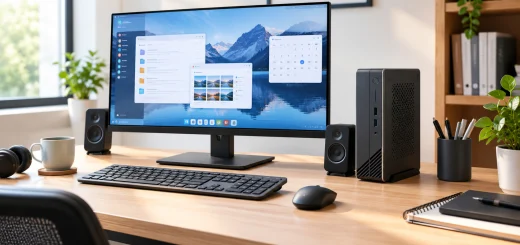
Mini PCs are compact desktop computers designed to deliver useful computing performance while taking up very little space. Some models are small enough to sit behind a monitor or fit easily on a crowded desk. They can be excellent for web browsing, office applications, media playback, programming, education, and lightweight productivity tasks. More powerful mini PCs can also handle demanding workloads, depending on their processor, memory, cooling, and graphics capabilities.

Compact mini desktop computer positioned beneath a monitor in a small organized workspace with minimal cables.
Their small size is the main attraction, but it can also limit internal expansion and cooling compared with larger desktop systems. Best for: Small workspaces, home offices, students, media centers, and everyday computing.
5 Workstation Desktop
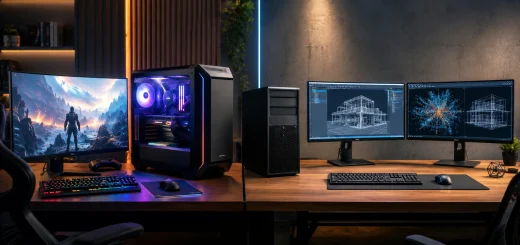
Workstations are professional-grade desktop computers designed for specialized and resource-intensive applications. They can include high-performance processors, large amounts of RAM, professional graphics hardware, and fast storage. Workstations are commonly used for computer-aided design, engineering, scientific computing, architecture, professional video production, 3D modeling, and other demanding workloads.

Professional workstation desktop with powerful tower PC and dual monitors displaying 3D models, technical visualizations, and engineering data.
For typical browsing, office work, and entertainment, a workstation is often unnecessary. Its advantages become clear when software requires substantial CPU, GPU, memory, or storage performance. Best for: Engineers, architects, designers, researchers, 3D professionals, and professional content creators.
6 Business Desktop
Business desktops are designed primarily for office environments. Instead of focusing on gaming-oriented graphics performance, they emphasize reliability, manageability, security, and long-term business use. They are suitable for tasks such as document creation, spreadsheets, video conferencing, accounting, web applications, customer management, and administrative work. Business desktops are often available in different form factors, including towers, small-form-factor systems, and compact desktops. Organizations may also benefit from centralized management and enterprise support options. Best for: Offices, small businesses, schools, corporate environments, and professional administration.
7 Home and Family Desktop
A home desktop is designed for everyday computing rather than a specialized workload. It can serve multiple users for browsing, streaming, online learning, document creation, photo management, and communication. For families, a desktop with adequate RAM, a fast SSD, a modern processor, and a good-quality monitor can provide a balanced experience without the cost of specialized hardware. A conventional tower or compact desktop can also be a good choice because it offers more upgrade flexibility than many budget laptops. Best for: Families, casual users, students, online learning, browsing, and entertainment.
8 Content Creation Desktop
Content creators often need more performance than a typical office computer can provide. Video editing, photo processing, animation, music production, and 3D work can place significant demands on the processor, graphics hardware, memory, and storage.

Professional content creation workstation with powerful desktop PC, color-accurate monitor, drawing tablet, camera, and external storage.
A content creation desktop should therefore be selected according to the applications you use. Video editors may prioritize GPU acceleration and fast storage, while photographers may benefit from a powerful CPU, plenty of RAM, and a high-quality color-accurate monitor. Large SSDs are particularly useful when working with high-resolution photos and video files. Best for: Video editors, photographers, graphic designers, musicians, animators, and digital creators.
How to Choose the Right Desktop Computer
Choosing among the best desktop computer types starts with identifying your primary workload. For basic browsing and documents, a mini PC, home desktop, or entry-level business PC may be sufficient. Gamers should prioritize a dedicated graphics card and strong cooling. Professionals working with engineering, scientific, or 3D applications may need a workstation. You should also consider RAM and storage.
For many modern users, 16GB of RAM provides a comfortable starting point, while demanding workloads may benefit from 32GB or more. An SSD is preferable to an older mechanical hard drive for the operating system and frequently used applications because it can significantly improve responsiveness. Upgradeability is another important consideration. If you expect your needs to increase over time, a tower desktop generally provides more flexibility than a compact or all-in-one system. Finally, don’t overlook the monitor. A powerful computer paired with a poor display can still deliver a disappointing experience. Consider screen size, resolution, refresh rate, color accuracy, connectivity, and ergonomics based on your workload.
Desktop Computer Types Compared
Different desktop categories serve different users:
- Tower desktop: Best for flexibility and upgrades.
- Gaming desktop: Best for demanding games and graphics workloads.
- All-in-one PC: Best for simple, clean workspaces.
- Mini PC: Best for compact setups and everyday computing.
- Workstation: Best for professional and specialized applications.
- Business desktop: Best for office productivity and organizational use.
- Home desktop: Best for general family computing.
- Content creation PC: Best for editing, design, animation, and multimedia production.
Final Thoughts
The best desktop computer is not necessarily the most powerful or expensive model. It is the one that provides the right balance of performance, features, upgradeability, size, and cost for your workload. A mini PC can be perfect for someone with limited desk space, while a gaming desktop makes more sense for high-performance entertainment.
Creative professionals may need powerful graphics and processing hardware, whereas businesses often prioritize reliability and manageability. By understanding the different desktop computer types and matching their strengths to your requirements, you can avoid paying for unnecessary hardware while ensuring your computer remains useful for years to come.