Workstation Laptops Explained for Professionals
Workstation laptops are designed for professionals who need more than everyday computing performance. Unlike standard business laptops, these machines are built to handle demanding workloads such as 3D modeling, CAD, engineering simulations, video production, data analysis, software development, and professional design.
Table of Contents
- What is a Workstation Laptop?
- How is a Workstation Laptop Different From a Regular Laptop?
- Powerful Processors for Professional Workloads
- Professional Graphics Performance
- Plenty of RAM for Multitasking
- Fast and Spacious Storage
- Displays Designed for Professional Work
- Cooling and Sustained Performance
- Reliability Matters for Professionals
- Connectivity and Expansion
- Battery Life vs Performance
- Who Should Buy a Workstation Laptop?
- Who Does Not Need One?
- How to Choose the Right Workstation Laptop
- Final Thoughts
A workstation laptop combines powerful processors, professional graphics, large amounts of memory, fast storage, and reliable thermal management in a portable form. For professionals who frequently work with resource-intensive applications, choosing the right workstation laptop can make a significant difference in productivity.
What is a Workstation Laptop?
A workstation laptop is a professional-grade portable computer designed for demanding workloads. It typically features higher-performance components than mainstream laptops and is optimized for stability, sustained performance, and specialized professional software.

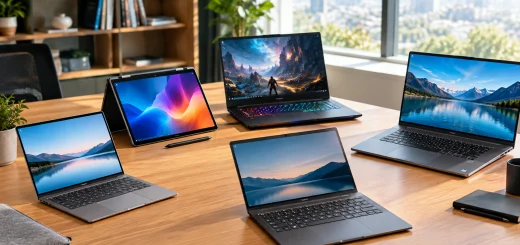
A professional workstation laptop designed for demanding engineering, design, and computing tasks.
While a regular laptop may be perfectly suitable for web browsing, office applications, meetings, and entertainment, workstation laptops are designed to maintain high performance during intensive workloads.
They are commonly used by architects, engineers, designers, developers, researchers, content creators, financial professionals, and other users who depend on powerful computing capabilities.
How is a Workstation Laptop Different From a Regular Laptop?
The biggest difference is the intended workload.
A conventional laptop focuses on portability, battery life, everyday applications, and general productivity. A workstation laptop prioritizes processing power, graphics performance, memory capacity, expandability, and reliability.
Workstation models often include professional graphics hardware, higher-end CPUs, more RAM, multiple storage options, and advanced cooling systems. Some also support features designed specifically for professional software and workflows.
This does not mean that every professional needs a workstation. If your daily tasks mainly involve documents, email, presentations, browsing, and video calls, a business laptop may provide better value.
Powerful Processors for Professional Workloads
The processor is one of the most important components in a workstation laptop. Professional applications can place significant demands on the CPU, particularly during rendering, simulations, compiling, data processing, and multitasking.
Modern workstation laptops can include high-core-count processors designed for sustained workloads. Multiple CPU cores allow the system to handle demanding applications and background tasks more efficiently.

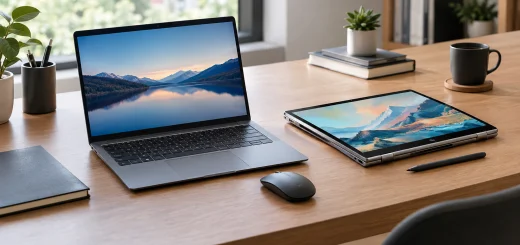
A workstation laptop providing powerful processor performance for demanding professional applications.
For professionals working with large projects, CPU performance can reduce waiting times during tasks such as rendering scenes, compiling software, exporting video, or processing large datasets.
When choosing a workstation laptop, consider both the processor’s performance and the type of applications you use. Some applications benefit heavily from multiple cores, while others depend more on single-core performance.
Professional Graphics Performance
Graphics processing is another major feature of workstation laptops. While gaming laptops can also offer powerful GPUs, professional workstations may use graphics solutions optimized and certified for specific professional applications.
These GPUs can be particularly useful for CAD, 3D modeling, animation, engineering visualization, scientific workloads, and professional video production.

A workstation laptop displaying a 3D design project for professional graphics and modeling work.
A workstation GPU can also provide better stability and compatibility with certain professional applications. This can be more important than raw gaming performance when the computer is being used for business-critical projects.
Professionals should therefore look beyond GPU memory and raw specifications. Application compatibility, driver support, and workflow requirements should also influence the decision.
Plenty of RAM for Multitasking
Professional applications can consume significant amounts of system memory. Large CAD projects, complex 3D scenes, high-resolution video timelines, virtual machines, and large datasets can all benefit from additional RAM.
A workstation laptop with adequate memory allows professionals to work with demanding applications while keeping other programs open in the background.

A workstation laptop setup designed for multitasking across demanding professional applications.
For basic professional workloads, moderate memory capacity may be sufficient. However, users working with large projects should consider higher memory configurations and, where possible, laptops that allow RAM upgrades.
Expandable memory can also extend the useful life of the workstation by making future upgrades possible.
Fast and Spacious Storage
Storage performance affects how quickly files, applications, and projects load. Modern workstation laptops generally use fast solid-state storage, which provides much better responsiveness than traditional mechanical drives.
Professionals working with large media files, engineering projects, datasets, or development environments should pay attention to both capacity and speed.
A smaller SSD may become restrictive if you regularly work with large files. A larger storage configuration can reduce the need for external drives and make project management more convenient.
Some workstation laptops also provide multiple storage options, allowing users to combine fast primary storage with additional capacity.
Displays Designed for Professional Work
The display is especially important for professionals involved in design, photography, video editing, architecture, and engineering.
A good workstation display should offer sharp resolution, accurate colors, comfortable viewing, and sufficient brightness. Depending on the workload, a larger screen can also provide more room for toolbars, timelines, design elements, and multiple windows.

A workstation laptop with a high-quality display suited to professional design and visual work.
Professionals working with visual content should pay close attention to color accuracy and display coverage rather than focusing only on resolution.
A high-resolution display can provide excellent detail, but color reproduction and consistency may be more important for creative workflows.
Cooling and Sustained Performance
Powerful components generate more heat, which makes cooling an important part of workstation laptop design.
A laptop may deliver excellent peak performance for a short period, but demanding professional applications often run for long periods. Effective cooling helps the system maintain consistent performance during extended workloads.

A workstation laptop with robust cooling designed to maintain performance during demanding workloads.
Workstation laptops therefore tend to use larger cooling systems, multiple heat pipes, advanced ventilation, or other thermal-management technologies.
Good cooling can also help reduce performance throttling when the processor and GPU are under heavy load.
Reliability Matters for Professionals
A workstation laptop is often a productivity tool rather than simply a personal computer. If a professional depends on it for client projects, engineering work, production, or business operations, reliability becomes a major consideration.
Many workstation-class systems are designed with durable chassis construction and professional usage in mind. Some models also undergo testing for demanding working environments.
Features such as robust hinges, comfortable keyboards, dependable connectivity, and business-oriented support can be just as important as raw processing performance.
Connectivity and Expansion
Professionals often connect workstation laptops to multiple devices and accessories. Depending on the workflow, this can include external monitors, storage drives, docking stations, networking equipment, cameras, and specialized peripherals.
Before purchasing, check the available ports carefully. USB, USB-C, high-speed display connections, networking, memory-card support, and docking compatibility can all affect how easily the laptop fits into an existing workstation.
A laptop with the right connectivity can reduce the need for adapters and simplify a professional desktop setup.
Battery Life vs Performance
One common compromise with workstation laptops is battery life.
High-performance processors and professional GPUs consume more power than the components found in lightweight productivity laptops. As a result, workstation models can have shorter battery life during demanding workloads.
This does not necessarily make them unsuitable for mobile professionals. Modern power management can provide reasonable battery life for lighter tasks such as writing, browsing, presentations, and communication.
However, professionals should not expect maximum performance on battery power to match the results achieved when the laptop is connected to a power source.
Who Should Buy a Workstation Laptop?
Workstation laptops make sense for professionals whose workloads regularly require significant computing power.
Architects and engineers can benefit from powerful CPUs and professional graphics for CAD and visualization. Designers and animators can use them for 3D modeling and rendering. Video professionals can take advantage of strong processors, GPUs, memory, and fast storage.
Software developers working with large projects, virtual machines, containers, and demanding development environments may also benefit from workstation-class hardware.
Researchers, analysts, and other professionals working with large datasets can similarly benefit from higher memory capacity and processing performance.
Who Does Not Need One?
A workstation laptop can be excessive for users with simple computing needs.
If you mainly use Microsoft Office-style applications, email, web browsing, video conferencing, streaming, and basic productivity tools, a conventional business laptop is likely to be more practical.
Workstation laptops are usually larger, heavier, more expensive, and more power-hungry than mainstream models. Paying for workstation-level hardware does not provide much benefit if your applications cannot take advantage of it.
How to Choose the Right Workstation Laptop
Start by identifying the software you use most frequently. Check its CPU, GPU, memory, and storage requirements before comparing laptops.
Next, consider the size and portability you need. A larger workstation can provide better cooling and a larger display, while a more compact model may be easier to carry between offices, studios, and client locations.
Also consider RAM expandability, storage capacity, display quality, ports, keyboard comfort, cooling, warranty coverage, and long-term reliability.
Most importantly, avoid choosing a workstation based solely on the highest specifications. The best workstation laptop is the one whose hardware matches your actual professional workload.
Final Thoughts
Workstation laptops are built for professionals who need serious computing power in a portable package. Their combination of powerful processors, professional graphics, generous memory, fast storage, high-quality displays, and robust cooling makes them suitable for demanding applications.
However, workstation-class hardware is not necessary for everyone. Before investing, evaluate your software, workload, portability requirements, and budget.
If your work involves CAD, engineering, 3D design, video production, scientific computing, software development, or other demanding applications, a workstation laptop can provide the performance and reliability needed to work efficiently wherever your projects take you.