Laptop Processor Comparison Guide: How to Choose the Right CPU
Choosing the right laptop is no longer just about display size, RAM, or storage. The processor, also known as the CPU (Central Processing Unit), is the heart of every laptop and has the biggest impact on performance, efficiency, battery life, and overall user experience.
Table of Contents
Whether you’re buying a laptop for work, gaming, content creation, programming, or everyday use, understanding processor differences can help you avoid overspending while ensuring you get the performance you actually need.
What is a Laptop Processor?
A laptop processor is the primary chip responsible for executing instructions and handling calculations. Every application you open, video you edit, game you play, or browser tab you launch depends on your processor. Modern processors are designed to balance:
- Performance
- Power efficiency
- Battery life
- AI processing
- Thermal management
- Multitasking capability
The latest laptop CPUs also include dedicated AI engines, improved integrated graphics, and advanced security features.
Major Laptop Processor Brands
Today’s laptop market is dominated by three major processor manufacturers.

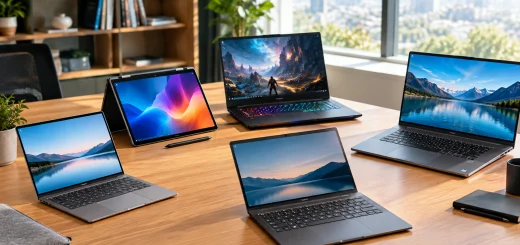
Three laptops representing different processor architectures for comparing Intel, AMD Ryzen, and Apple laptop CPUs.
Intel Processors
Intel remains one of the most popular processor manufacturers, offering CPUs across budget, mainstream, and premium laptops. Popular Intel processor families include:
- Intel Processor Series
- Intel Core 3
- Intel Core 5
- Intel Core 7
- Intel Core 9
- Intel Core Ultra Series
The newer Intel Core Ultra processors include built-in Neural Processing Units (NPUs) that accelerate AI workloads while improving power efficiency.
Intel processors are commonly found in:
- Business laptops
- Ultrabooks
- Gaming laptops
- Creator laptops
- Workstations
AMD Ryzen Processors
AMD Ryzen processors have become highly competitive thanks to excellent multi-core performance and impressive integrated graphics. Popular Ryzen families include:
- Ryzen 3
- Ryzen 5
- Ryzen 7
- Ryzen 9
- Ryzen AI Series
AMD processors often provide excellent value, making them popular among gamers, students, and professionals.
Strengths include:
- Excellent multitasking
- Strong integrated Radeon graphics
- Competitive pricing
- Efficient power consumption
Apple Silicon
Apple develops its own processors exclusively for MacBooks. Current Apple processors include:
- Apple M3
- Apple M4
- M4 Pro
- M4 Max
Apple Silicon combines CPU, GPU, Neural Engine, memory, and media engines into a single chip, delivering excellent battery life and performance.
These processors are especially popular among:
- Video editors
- Developers
- Designers
- Students
- Creative professionals
Understanding Processor Tiers
Not every processor is built for the same type of workload.
Entry-Level Processors
Ideal for:
- Web browsing
- Office applications
- Online learning
- Video streaming
Examples include:
- Intel Processor
- Intel Core 3
- AMD Ryzen 3
These processors offer good everyday performance while keeping laptop prices affordable.
Mid-Range Processors
Suitable for:
- Multitasking
- Programming
- Photoshop
- Light video editing
- Business work
Popular options include:
- Intel Core 5
- Intel Core Ultra 5
- AMD Ryzen 5
- AMD Ryzen 7
This category offers the best balance between price and performance for most users.
High-End Processors
Designed for demanding workloads such as:
- 4K video editing
- Software development
- Professional design
- Engineering
- Heavy multitasking
Common choices include:
- Intel Core 7
- Intel Core Ultra 7
- Ryzen 7
- Ryzen 9
- Apple M4 Pro
These processors provide significantly higher multi-core performance.
Enthusiast-Class Processors
For maximum performance, consider:
- Intel Core 9
- Intel Core Ultra 9
- Ryzen 9 HX Series
- Apple M4 Max
These CPUs are intended for:
- Professional content creation
- 3D rendering
- AI development
- Scientific computing
- AAA gaming
Important Processor Specifications
When comparing laptop processors, don’t focus only on the processor name. Several technical specifications determine real-world performance.
Core Count
Modern processors include multiple cores that handle tasks simultaneously.
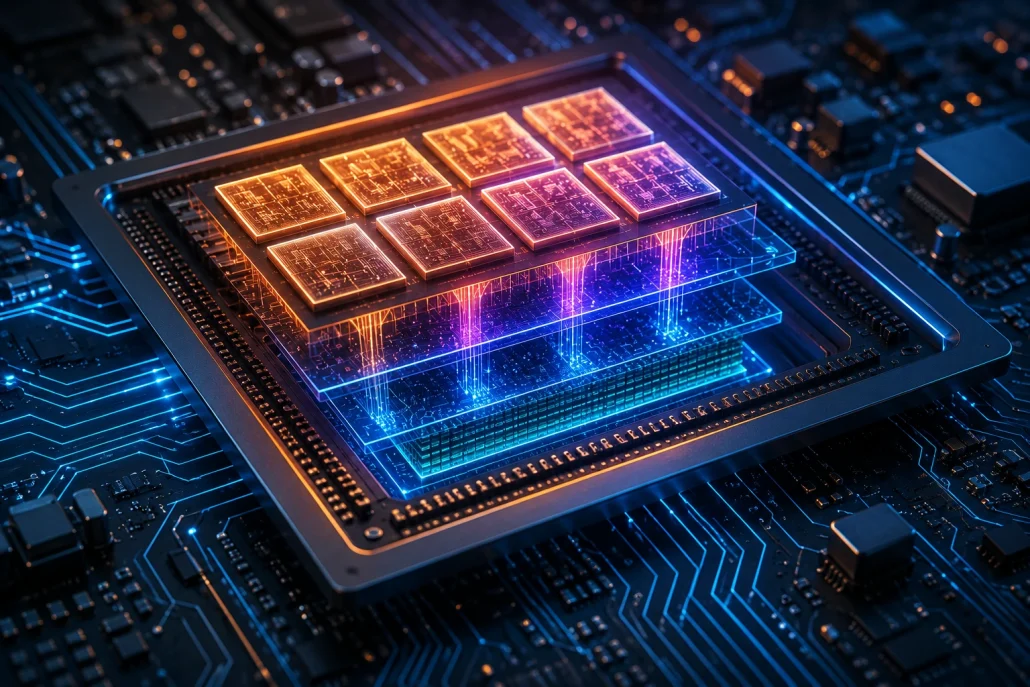
Illustration of a modern multi-core laptop processor showing CPU cores and internal architecture.
Typical core counts include:
- 4 cores
- 6 cores
- 8 cores
- 12 cores
- 16 cores
- 24 cores and beyond
More cores generally improve multitasking and professional workloads.
Thread Count
Threads allow processors to manage multiple instruction streams simultaneously. Higher thread counts benefit:
- Video editing
- Programming
- Virtual machines
- Rendering
- Large spreadsheets
Clock Speed
Clock speed, measured in GHz, indicates how quickly a processor executes instructions. Higher clock speeds usually improve:
- Gaming
- Office productivity
- Single-threaded applications
However, clock speed should always be considered alongside architecture and core count.
Cache Memory
Processor cache stores frequently accessed data close to the CPU. Larger cache improves responsiveness and reduces processing delays during demanding tasks.
Integrated Graphics
Many modern processors include built-in graphics. Examples include:
- Intel Arc Graphics
- Intel Iris Xe
- AMD Radeon Graphics
- Apple integrated GPU
Integrated graphics are sufficient for:
- Office work
- Streaming
- Photo editing
- Casual gaming
- Video playback
Serious gamers and professional creators should consider laptops with dedicated graphics cards.
AI Processing and NPUs
Artificial intelligence is becoming a major feature of modern laptops.

Modern laptop demonstrating AI processing and integrated graphics performance for creative workloads.
Many new processors now include dedicated Neural Processing Units (NPUs), which accelerate AI tasks without placing heavy loads on the CPU or GPU. AI features include:
- Background blur
- Live captions
- Image generation
- Voice enhancement
- AI-powered productivity tools
- Intelligent battery optimization
As more software integrates AI capabilities, processors with NPUs are becoming increasingly valuable.
Which Processor is Best for Different Users?
Different users have different performance needs.

Different laptops representing gaming, productivity, programming, and content creation to illustrate processor selection by workload.
Students
Recommended processors:
- Intel Core 3
- Intel Core 5
- AMD Ryzen 3
- AMD Ryzen 5
These provide reliable performance for assignments, research, and online classes.
Office Professionals
Best choices:
- Intel Core Ultra 5
- Intel Core 5
- Ryzen 5
- Ryzen 7
These processors handle multitasking, video conferencing, and productivity applications efficiently.
Programmers
Look for:
- Intel Core Ultra 7
- Ryzen 7
- Apple M4
More cores and larger memory capacity improve development workflows.
Content Creators
Recommended options include:
- Intel Core Ultra 9
- Ryzen 9
- Apple M4 Pro
- Apple M4 Max
These processors excel in video editing, rendering, and creative software.
Gamers
Gaming laptops perform best with:
- Intel Core 7
- Intel Core 9
- Ryzen 7
- Ryzen 9
Pair these processors with a dedicated GPU for the best gaming experience.
Battery Life vs Performance
High-performance processors consume more power, especially under sustained workloads. If battery life is your priority, choose processors designed for efficiency, such as:

Thin laptop illustrating the balance between processor performance and battery efficiency for everyday computing.
- Intel Core Ultra Series
- AMD Ryzen AI Series
- Apple M-series chips
These CPUs provide an excellent balance between speed and long-lasting battery performance.
Future-Proofing Your Laptop Purchase
A laptop is typically used for several years, so choosing a processor with room to grow is a smart investment. Consider these factors:
- AI-ready processor with an NPU
- At least 6–8 cores for long-term usability
- Modern processor architecture
- Good integrated graphics if you don’t need a dedicated GPU
- Support for the latest memory and connectivity standards
A slightly more powerful processor today can keep your laptop responsive for years as software requirements evolve.
Final Thoughts
Selecting the right laptop processor doesn’t have to be confusing. By understanding processor families, performance tiers, core counts, AI capabilities, and real-world use cases, you can confidently choose a laptop that matches both your workload and budget. For everyday users, mid-range processors like Intel Core 5 or AMD Ryzen 5 deliver excellent value. Professionals and creators should consider Intel Core Ultra, Ryzen 7 or Ryzen 9, or Apple’s M-series processors for superior performance. Gamers will benefit from pairing a powerful CPU with a dedicated graphics card, while users prioritizing battery life should look for energy-efficient processor architectures. Ultimately, the best processor is the one that aligns with your specific needs rather than simply having the highest specifications.