Traditional Laptops vs 2-in-1 Convertibles Compared
Choosing a new laptop is no longer simply about picking a screen size, processor, or storage capacity. One of the biggest decisions is the type of laptop you actually need. A comparison between Traditional laptops vs 2-in-1 convertibles is worth considering because both designs offer strong performance, portability, and modern features, but they are built for different ways of working.
Table of Contents
- What is a Traditional Laptop?
- What is a 2-in-1 Convertible Laptop?
- Traditional Laptops vs 2-in-1 Convertibles: Design and Portability
- Performance Comparison
- Display and Touchscreen Experience
- Keyboard and Trackpad Experience
- Battery Life
- Port Selection and Connectivity
- Which is Better for Students?
- Which is Better for Professionals?
- Which is Better for Creative Work?
- Price and Value
- Traditional Laptop or 2-in-1 Convertible: Which Should You Buy?
- Final Thoughts
Traditional laptops focus on a familiar clamshell design with a keyboard and display connected by a standard hinge. 2-in-1 convertibles add a flexible hinge that allows the display to rotate into different positions, including tablet mode. The right choice depends on how you work, study, create content, and use your device every day.
What is a Traditional Laptop?
A traditional laptop uses the classic clamshell design. The display opens to a fixed working angle and the keyboard remains attached underneath it. This design has been refined over many years and is available across almost every price range.
Traditional laptops are particularly popular among professionals, students, gamers, and users who want a straightforward computer for everyday tasks. They can range from lightweight ultraportables to powerful gaming and workstation-class machines.

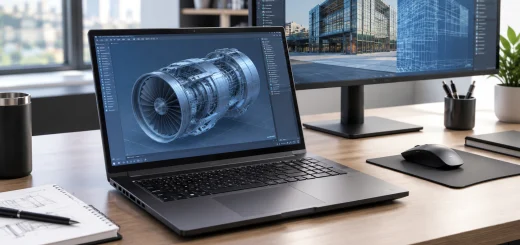
Traditional clamshell laptop open on a clean professional desk.
One major advantage is simplicity. Open the lid, use the keyboard and trackpad, and get to work. There is no need to switch between different modes.
Traditional laptops also tend to offer a wider variety of specifications. Buyers can find models with powerful processors, dedicated graphics, larger cooling systems, multiple ports, and high-capacity batteries.
What is a 2-in-1 Convertible Laptop?
A 2-in-1 convertible combines the functions of a laptop and a tablet in a single device. Its display is attached to the keyboard through a 360-degree hinge, allowing the screen to rotate backward.
Depending on the design, you can use a convertible in laptop mode, tent mode, stand mode, or tablet mode. Some models also support a digital pen, making them useful for handwriting, drawing, annotating documents, and taking notes.

2-in-1 convertible laptop folded into tablet mode with a stylus.
The biggest attraction is flexibility. Instead of carrying a separate tablet and laptop, you can use one device for different situations.
For example, you might use laptop mode for writing a report, tent mode for watching a video, and tablet mode for reading or sketching.
Traditional Laptops vs 2-in-1 Convertibles: Design and Portability
Design is one of the clearest differences between these two categories.
Traditional laptops generally prioritize a stable keyboard and conventional laptop construction. Many thin-and-light models are extremely portable, while larger models can provide additional cooling and hardware.

Traditional laptop and convertible laptop shown in different portable configurations.
2-in-1 convertibles place greater emphasis on flexibility. Their hinges need to support repeated movement, and the chassis has to accommodate the convertible mechanism without becoming unnecessarily bulky.
For users who frequently switch locations, a lightweight 2-in-1 can be extremely convenient. However, a traditional laptop may be preferable if you mainly work at a desk and want a conventional, stable design.
Performance Comparison
Performance depends more on the individual processor, memory, storage, and graphics hardware than on whether a laptop is traditional or convertible.
However, traditional laptops often have an advantage when comparing similarly priced devices designed for demanding workloads. Their conventional chassis can provide more room for cooling components and larger hardware.
This can make traditional laptops a better choice for intensive workloads such as gaming, video editing, 3D rendering, software development, and professional applications.
2-in-1 convertibles are commonly designed around efficiency and portability. Many offer excellent performance for office applications, web browsing, video calls, media consumption, note-taking, and light creative work.
If maximum performance is your priority, compare the actual hardware rather than assuming every traditional laptop will outperform every convertible.
Display and Touchscreen Experience
Traditional laptops can include excellent displays, but touchscreens are more closely associated with 2-in-1 designs.
A convertible’s touchscreen becomes much more useful when the display can fold into tablet mode. You can interact directly with the screen, browse content, read documents, or use compatible creative applications without relying entirely on the keyboard and trackpad.

User interacting with a convertible laptop touchscreen using a digital stylus.
This can be especially useful for students and creative users.
Traditional laptops are still excellent for keyboard-focused work. If you spend most of your day writing emails, creating documents, managing spreadsheets, or programming, the conventional display-and-keyboard arrangement may be all you need.
Keyboard and Trackpad Experience
For long typing sessions, traditional laptops have an important advantage: their entire design is centered around conventional laptop use.
Many traditional models provide comfortable keyboards with generous key travel and stable decks. Business-focused laptops can be particularly good for users who type for several hours each day.
Convertible laptops can also have excellent keyboards, but the flexibility of the hinge can influence the overall design. In tablet or tent mode, the keyboard becomes unavailable or folds behind the display.
If typing is your primary activity, a traditional laptop is often the safer choice.
Battery Life
Battery life varies considerably between individual models, so it should not be judged solely by laptop type.
Many 2-in-1 convertibles use efficient processors designed for portable computing, allowing them to deliver impressive battery endurance. Their focus on mobility makes long battery life an important selling point.
Traditional laptops also include many efficient models, particularly in the ultraportable category. However, powerful gaming and workstation laptops can consume considerably more power because of their high-performance processors and dedicated graphics.
When comparing battery life, look at realistic usage figures and consider how you will actually use the laptop.
Port Selection and Connectivity
Traditional laptops often have an advantage in connectivity, particularly larger models.
Depending on the design, a traditional laptop may offer USB ports, HDMI, Ethernet, an audio jack, memory card support, and other connections. Gaming and professional models can provide even more connectivity.

Modern laptop showing multiple ports and connected external devices.
Slim 2-in-1 convertibles may prioritize portability and therefore include fewer physical ports. This can mean relying more heavily on USB-C hubs, docks, or adapters.
If you frequently connect external monitors, storage drives, projectors, wired networks, or other accessories, check the port selection carefully before buying.
Which is Better for Students?
For students, the choice depends on their study habits.
A traditional laptop is excellent for assignments, research, presentations, programming, and long typing sessions. It is particularly attractive for students who need dependable performance at a reasonable price.
A 2-in-1 can be more versatile for students who take handwritten notes, annotate PDFs, read textbooks, draw diagrams, or use a stylus. Tablet mode can also make the device more comfortable for reading.
Students who value flexibility may prefer a convertible, while students who primarily type and complete conventional coursework may find a traditional laptop more practical.
Which is Better for Professionals?
Professionals should consider their workflow.
A traditional laptop is generally a strong choice for office productivity, programming, finance, business applications, and other keyboard-intensive tasks. Larger models can also provide more ports and stronger hardware.
A 2-in-1 is appealing to professionals who travel frequently, attend meetings, present information, or work with digital notes. Tent and tablet modes can be useful in presentations and collaborative environments.
For professionals, keyboard quality, battery life, security features, durability, and connectivity should be considered alongside the form factor.
Which is Better for Creative Work?
Creative users can benefit from both designs.
Traditional laptops are often better suited to demanding creative workloads when equipped with powerful processors, dedicated graphics, larger displays, and stronger cooling.
2-in-1 convertibles can be attractive to artists, designers, photographers, and note-taking professionals who want touchscreen interaction and stylus support. Drawing directly on the screen can feel more natural than using a conventional laptop with a separate input device.
However, serious creators should pay close attention to display color accuracy, brightness, resolution, processor performance, graphics capability, RAM, and storage.

Traditional laptop and 2-in-1 convertible used for productivity and creative work.
Price and Value
Price varies widely across both categories.
Traditional laptops generally provide more choices, from affordable entry-level computers to premium business machines and powerful gaming systems. This makes it easier to match the hardware to a specific budget.
2-in-1 convertibles may cost more than similarly specified traditional laptops because of their touchscreen, flexible hinge, and additional engineering.
However, the extra cost can make sense if you would otherwise buy both a laptop and tablet. A convertible can provide two different computing experiences in one device.
Traditional Laptop or 2-in-1 Convertible: Which Should You Buy?
The best choice ultimately depends on how you use your computer.
Choose a traditional laptop if you want a dependable clamshell design, comfortable long-term typing, stronger hardware options, extensive connectivity, or maximum performance for the money.
Choose a 2-in-1 convertible if flexibility, touchscreen interaction, tablet functionality, stylus support, and portability are important to you.
Neither design is universally better. The best laptop is the one that matches your daily workflow.
Before buying, consider your typical applications, typing habits, travel requirements, display preferences, battery expectations, port requirements, and budget. Also compare the actual processor, RAM, storage, display, weight, and battery capacity rather than choosing based only on the form factor.
Final Thoughts
The traditional laptops vs 2-in-1 convertibles debate ultimately comes down to priorities. Traditional laptops remain an excellent choice for users who want performance, practicality, and a familiar computing experience. 2-in-1 convertibles offer greater versatility for people who want their laptop to transform into a tablet or flexible touchscreen device.
If your laptop spends most of its time on a desk, a traditional model may provide everything you need. If you regularly move between work, study, entertainment, presentations, and creative activities, a 2-in-1 can provide a more adaptable experience.
The key is to choose the form factor that fits your everyday habits rather than paying for features you may rarely use.