Thin-and-Light Laptops vs Performance Laptops: Which is Better?
Choosing a laptop today involves more than comparing processor names, RAM, or storage capacity. The laptop’s design, weight, performance, battery life, and intended use all influence how well it fits your lifestyle. Two popular categories are thin-and-light laptops and performance laptops. Although both can handle everyday computing, they are designed with different priorities in mind.
Table of Contents
- What are Thin-and-Light Laptops?
- What are Performance Laptops?
- Thin-and-Light Laptops vs Performance Laptops: Key Differences
- Thin-and-Light Laptops vs Performance Laptops: Comparison Table
- Which Laptop is Better for Students and Professionals?
- Price, Upgrades, and Long-Term Value
- How to Choose the Right Laptop for Your Needs
- Conclusion
Understanding the differences between thin-and-light laptops vs performance laptops can help you make a smarter buying decision. Whether you are a student, business professional, frequent traveller, content creator, or gamer, the right choice depends on how you plan to use your device.
Thin-and-light laptops focus on portability, convenience, and efficient everyday computing. Performance laptops prioritise processing power, graphics capabilities, and sustained workloads. Let’s explore their major differences and discover which type offers the best value for your needs.
What are Thin-and-Light Laptops?
Thin-and-light laptops are designed for people who need a lightweight, portable computer that is easy to carry throughout the day. They typically feature slim bodies, compact chargers, and displays ranging from smaller travel-friendly sizes to mainstream 14-inch and 16-inch options.

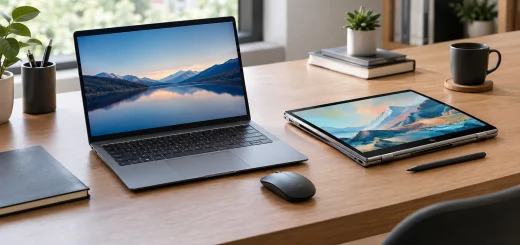
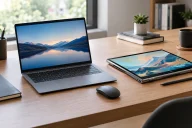
Slim lightweight laptop on a minimalist desk.
These laptops commonly use power-efficient processors, integrated graphics, and solid-state storage. Many models also feature premium aluminium construction, high-resolution displays, comfortable keyboards, and modern connectivity options.
Their biggest advantage is convenience. Students can carry them between classrooms, while professionals can use them during meetings, business trips, and remote-working sessions. They are also suitable for web browsing, video streaming, office applications, online learning, video calls, and light photo editing.
However, their compact designs can limit cooling capacity. This may affect performance during prolonged, demanding workloads, particularly on models with lower-power processors.
What are Performance Laptops?
Performance laptops are built to handle demanding applications that require substantial processing power, graphics capability, or memory bandwidth. Depending on the model, they may include powerful multi-core processors, dedicated graphics cards, advanced cooling systems, and higher memory capacities.

Performance laptop with a robust chassis and cooling vents.
Gaming laptops are a familiar example, but this category also includes mobile workstations and laptops designed for professional video editing, 3D modelling, software development, engineering, and other resource-intensive tasks.
Performance laptops often have thicker chassis, larger cooling fans, and more substantial power adapters. Some feature high-refresh-rate displays, advanced graphics options, additional ports, and upgradeable memory or storage.
Their primary advantage is the ability to complete demanding work more quickly and maintain higher performance under sustained loads. The trade-off is that they are generally heavier, consume more power, and can produce more fan noise and heat.
Not every performance laptop is bulky, and not every thin-and-light model is slow. Modern hardware has narrowed the gap, so specifications and real-world reviews remain important.
Thin-and-Light Laptops vs Performance Laptops: Key Differences
The main difference between these laptop categories is how they balance portability and computing power. A thin-and-light laptop is optimised for mobility and everyday efficiency, while a performance laptop is designed to deliver greater power for demanding applications.
Portability and Weight
Thin-and-light laptops are easier to carry on public transport, during business travel, or between home and the office. Their slim profiles also make them convenient for people working in cafés, libraries, and shared workspaces.

Professional using a lightweight laptop in a modern cafe.
Performance laptops usually weigh more because they need stronger cooling systems, larger batteries in some configurations, and additional hardware. Their size can make them less convenient for frequent travel.
Winner: Thin-and-light laptops for portability and everyday mobility.
Processing Power and Speed
Both categories can offer fast processors and solid-state drives. However, performance laptops generally provide more room for higher-power processors and cooling systems that help maintain speed during demanding tasks.
For everyday activities such as browsing, document editing, email, and video conferencing, a modern thin-and-light laptop is often more than sufficient. Performance laptops have an advantage when running complex simulations, compiling large software projects, processing high-resolution video, or handling other intensive workloads.
Winner: Performance laptops for demanding computing tasks.
Graphics and Gaming
Thin-and-light laptops typically rely on integrated graphics, although some models offer more capable graphics solutions. They can handle casual games, video playback, and many creative applications, depending on their hardware.

Performance laptop displaying a detailed video game scene.
Performance laptops may include dedicated graphics processing units (GPUs) that significantly improve gaming performance, 3D rendering, visual effects, and GPU-accelerated creative workloads.
If you regularly play graphics-intensive games or work with complex 3D scenes, a performance laptop is generally the better option.
Winner: Performance laptops for demanding graphics and gaming.
Battery Life
Battery life depends on battery capacity, processor efficiency, display brightness, workload, and software optimisation. Thin-and-light laptops often benefit from efficient processors and components designed to minimise power consumption.

Lightweight laptop on a bright home office desk.
Performance laptops can also deliver good battery life during light use, but powerful processors and dedicated GPUs may consume considerably more energy under load. Gaming or rendering while unplugged can drain the battery quickly.
Winner: Thin-and-light laptops for typical mobile productivity, although individual models vary.
Cooling and Noise
Compact laptops have less space for cooling hardware, which can restrict sustained performance when the processor becomes hot. Some models manage temperatures by reducing power consumption during prolonged workloads.
Performance laptops generally feature more substantial cooling systems, sometimes with multiple fans and heat pipes or vapour chambers. These help dissipate heat generated by powerful components, although the fans can become audible during heavy workloads.
Winner: Performance laptops for sustained high-performance computing.
Thin-and-Light Laptops vs Performance Laptops: Comparison Table
| Feature | Thin-and-Light Laptops | Performance Laptops |
|---|---|---|
| Design | Slim and lightweight | Often thicker and heavier |
| Processor | Usually power-efficient | Often higher-power options |
| Graphics | Commonly integrated | Often dedicated GPUs available |
| Battery life | Generally better for mobile work | Varies; heavy workloads drain power faster |
| Cooling | Compact cooling systems | More substantial cooling |
| Gaming | Casual and selected demanding games | Better suited to intensive gaming |
| Best use | Study, travel, office work | Gaming, editing, engineering |
| Portability | Excellent | Moderate to limited |
| Fan noise | Often quieter during light tasks | Can be louder under heavy loads |
| Price | Broad range, including premium models | Broad range, often higher for powerful configurations |
These are general category differences rather than fixed rules. A premium thin-and-light laptop may cost more than an entry-level performance laptop, and individual models can differ considerably.
Which Laptop is Better for Students and Professionals?
The right laptop depends on your daily activities rather than the category name alone.
For Students
Thin-and-light laptops are an excellent choice for students who need to take notes, research online, attend virtual classes, prepare presentations, and carry their computers around campus. Their portability and battery efficiency are particularly useful during long academic days.
Students studying engineering, architecture, animation, or game development may need a performance laptop if their coursework involves demanding specialist software.

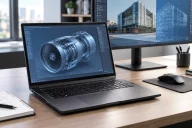
Performance laptop used for video editing in a creative workstation.
For Business Professionals
Professionals who spend their time managing documents, working with spreadsheets, attending meetings, and using cloud-based applications will usually find a thin-and-light laptop suitable. A lightweight design makes commuting and business travel easier.
People working with large datasets, complex financial models, software development environments, or specialised technical applications may benefit from additional processing power and memory.
For Gamers and Content Creators
Performance laptops are generally preferable for serious gaming, video editing, 3D animation, and other graphics-intensive work. A capable dedicated GPU and effective cooling system can make a meaningful difference to productivity and gaming quality.
Casual creators who mainly edit photographs, produce presentations, or create short videos may not need a high-powered machine. A capable thin-and-light laptop can be sufficient for these tasks.
Price, Upgrades, and Long-Term Value
Thin-and-light laptops are available at entry-level, mid-range, and premium prices. Spending more may get you a better display, stronger processor, improved construction, or longer battery life. Their compact design can sometimes make repairs and component upgrades more difficult, particularly when memory is soldered to the motherboard.
Performance laptops also cover a wide price range. Entry-level models may offer modest graphics capabilities, while high-end gaming and workstation models can be expensive. Before buying, check whether the memory and storage can be upgraded, what warranty coverage is included, and how much replacement components cost.
For long-term value, choose specifications that meet your expected needs over the next several years. Consider at least 16 GB of RAM for comfortable general multitasking, with 32 GB or more worth considering for demanding creative or professional workloads. Storage requirements vary, but an SSD of 512 GB is a useful starting point for many users.
Pay attention to the processor generation, GPU capabilities, display quality, keyboard comfort, ports, and manufacturer support. A well-balanced laptop can provide better value than a more expensive model with features you rarely use.
How to Choose the Right Laptop for Your Needs
Before making a purchase, consider these five factors:
- Your workload: Identify the applications you use most often and check their hardware requirements.
- Portability: If you travel frequently, prioritise weight, dimensions, and charger size.
- Performance: Choose a dedicated GPU and a capable processor if your work or gaming requires them.
- Battery life: Look for independent battery tests that reflect your typical usage.
- Budget: Compare complete configurations rather than processor names or advertised specifications alone.
You should also consider connectivity, webcam quality, display brightness, keyboard comfort, and warranty support. These practical features can have as much impact on everyday satisfaction as raw computing power.
Conclusion
When comparing thin-and-light laptops vs performance laptops, there is no single winner for everyone. Thin-and-light laptops are ideal for users who value portability, battery efficiency, and everyday productivity. Performance laptops are better suited to people who need powerful graphics, faster processing for demanding workloads, and effective cooling during extended tasks.
If your daily routine revolves around browsing, studying, office work, and travel, a thin-and-light laptop is likely the smarter choice. If you regularly play demanding games, edit professional video, or run resource-intensive applications, investing in a performance laptop may be worthwhile.
Ultimately, choose a laptop that matches your actual workload, preferred level of portability, and budget. The best laptop is not necessarily the most powerful one, but the one that performs reliably for the tasks you need to accomplish.