Custom-Built vs Prebuilt Desktop PCs: Which One Should You Choose?
Custom-Built vs Prebuilt Desktop PCs offer two different approaches to choosing the right computer for your needs. While custom-built systems allow users to select individual hardware components and create a configuration based on their requirements, prebuilt desktop computers come fully assembled and ready to use. Both options have advantages in terms of performance, pricing, customization, and convenience. Understanding their differences can help you decide which desktop PC offers the best value for your budget, workload, and future upgrade requirements.
Table of Contents
- What is a Custom-Built Desktop PC?
- What is a Prebuilt Desktop PC?
- Custom-Built vs Prebuilt Desktop PCs: Key Differences
- Which Option is Better for Gaming?
- Which Option is Better for Business and Productivity?
- Pros and Cons of Custom-Built Desktop PCs
- Pros and Cons of Prebuilt Desktop PCs
- How to Choose the Right Desktop PC
- Final Verdict: Custom-Built or Prebuilt Desktop PC?
Whether you need a computer for gaming, office productivity, content creation, programming, or everyday tasks, understanding the differences between these two options can help you make a better investment. Let’s explore how custom-built and prebuilt desktop PCs compare in terms of performance, cost, flexibility, maintenance, and overall value.
What is a Custom-Built Desktop PC?
A custom-built desktop PC is a computer assembled using individually selected hardware components. Instead of purchasing a complete system from a manufacturer, buyers choose the processor, motherboard, graphics card, RAM, storage, power supply, cooling system, and computer case.

An enthusiast assembles a custom desktop PC with a motherboard, graphics card, RAM, processor, and cooling components on a workstation.
This approach provides greater control over the final configuration. For example, someone building a gaming PC can prioritize a powerful graphics card, sufficient memory, and effective cooling. A professional working with video editing or 3D applications might invest more in processor performance, RAM capacity, and fast storage.
Custom-built systems can also be designed around specific budgets. Buyers can decide which components deserve a larger investment and where less expensive alternatives are sufficient.
However, building a desktop requires research, component compatibility checks, and some technical knowledge. Users must either assemble the computer themselves or purchase components and pay a professional to put everything together.
What is a Prebuilt Desktop PC?
A prebuilt desktop PC is a complete computer manufactured and assembled by a company before being sold to customers. It includes all essential hardware components, a computer case, an operating system in most configurations, and sometimes additional software.

A professionally assembled prebuilt desktop computer sits ready for use with a monitor, keyboard, and mouse on an office desk.
These systems are designed to provide a convenient purchasing experience. Buyers can select a configuration based on their requirements without researching every individual component or assembling the machine.
Prebuilt desktops are available in different categories, including entry-level office computers, business workstations, gaming desktops, and high-performance professional systems.
One of their biggest advantages is that they arrive ready to use. After connecting the monitor, keyboard, mouse, and power cable, users can usually begin working immediately.
Manufacturers and system integrators may also provide technical support and warranty coverage, making prebuilt computers attractive to people who prefer professional assistance.
Custom-Built vs Prebuilt Desktop PCs: Key Differences
Although both types of computers can deliver excellent performance, their purchasing experience and hardware flexibility are quite different.
Performance and Hardware Selection
Custom-built desktop PCs offer greater control over hardware selection. Buyers can choose components that match their workloads instead of relying on a manufacturer’s predefined configurations.
For gaming, this might mean selecting a graphics card that delivers the desired frame rates at a particular resolution. For professional applications, users can prioritize processor cores, memory capacity, storage speed, or specialized graphics hardware.
Prebuilt desktops can also deliver impressive performance. Established manufacturers offer systems equipped with modern processors, dedicated graphics cards, and high-speed memory.
However, some prebuilt configurations include components that are not equally balanced. A computer might feature a powerful processor but limited RAM or insufficient storage for its intended workload.
This makes it important to examine the complete hardware specification rather than judging a desktop by its processor or graphics card alone.
Price and Overall Value
Price is another important difference between custom-built and prebuilt desktop PCs.
Custom-built systems can offer better value because buyers can select components according to their budgets. They can avoid paying for unnecessary software, accessories, or features they do not need.
For example, someone building a desktop primarily for office work might choose integrated graphics instead of spending extra money on a dedicated graphics card.
However, building a PC is not automatically cheaper. Individual component prices, shipping costs, assembly charges, and operating system expenses can increase the final budget.
Prebuilt desktops sometimes cost more because their prices include assembly, testing, warranty services, technical support, and other manufacturer expenses.
Promotional offers and bulk purchasing can also make certain prebuilt systems surprisingly competitive. Therefore, comparing the total cost of equivalent configurations is essential before making a decision.
Customization and Upgrade Flexibility
Customization is one of the strongest advantages of building a desktop PC.
Users can choose the case design, motherboard features, cooling solution, storage capacity, power supply, and other components. They can also select hardware that supports future upgrades.

A user upgrades a desktop PC by installing a graphics card while additional RAM modules and an SSD are arranged nearby.
For example, a user might initially install 16GB of RAM and a mid-range graphics card, then upgrade to 32GB of memory and a more powerful GPU later.
Prebuilt desktop computers offer different levels of upgrade flexibility. Many traditional tower desktops support memory upgrades, additional storage drives, and graphics card replacements.
However, certain manufacturers use proprietary motherboards, power supplies, connectors, or compact cases that restrict component replacement.
Small-form-factor desktops can be particularly difficult to upgrade because of limited internal space.
Before purchasing a prebuilt computer, check whether its motherboard, power supply, case, and cooling system support the upgrades you may want in the future.
Assembly and Ease of Use
Custom-built desktop PCs require more involvement during the purchasing process. Buyers must research compatible components, understand basic hardware installation, and assemble the system correctly.
Although PC building has become more accessible, beginners may encounter challenges involving motherboard connections, CPU installation, cable management, BIOS configuration, and troubleshooting.
Hiring a professional can eliminate much of this work, although it adds to the overall cost.
Prebuilt desktops are considerably easier to purchase and use. The manufacturer handles component selection, assembly, testing, and initial configuration.
This makes them particularly suitable for students, office employees, small businesses, and users who want a functional computer without spending time learning hardware installation.
Warranty and Technical Support
Warranty coverage is another area where the two options differ.
Prebuilt desktop PCs generally come with a system-level warranty from the manufacturer. Depending on the company and product category, this may include technical support, repair services, replacement options, and on-site assistance.
This can be particularly valuable for businesses that depend on computers for everyday operations.
Custom-built PCs usually involve separate warranties for individual components. The processor, motherboard, graphics card, memory, and storage drive may each have different warranty periods and service procedures.
If a component fails, users may need to identify the faulty hardware and contact the relevant manufacturer.
Some professional PC builders offer complete-system warranties, providing an alternative for buyers who want customization without managing multiple component warranties.
Cooling and Power Efficiency
Cooling is important for maintaining desktop performance and hardware reliability.
With a custom-built PC, users can select air coolers, liquid cooling systems, case fans, and airflow-focused cabinets according to their requirements.

A desktop PC interior showcases cooling fans, a CPU cooler, heat sinks, and organized components designed for effective airflow.
This flexibility is especially useful for high-performance gaming systems and workstations that run demanding applications for extended periods.
Prebuilt desktops also include cooling solutions designed for their installed hardware. However, some budget models use basic cooling systems or compact cases that provide limited airflow.
Power efficiency depends largely on the selected components. A carefully configured custom PC can avoid unnecessary hardware and use an appropriately rated power supply.
Prebuilt desktops may also offer energy-efficient configurations, particularly in business and office categories.
Which Option is Better for Gaming?
Gaming is one of the most common reasons people consider building a desktop PC.
Custom-built gaming desktops are attractive because users can prioritize graphics performance, cooling, memory, and power delivery. They can also choose a case with better airflow and enough room for future graphics card upgrades.

A custom-built gaming desktop and a prebuilt gaming computer are displayed side by side in a modern gaming workstation.
This flexibility makes custom-built systems particularly appealing to gaming enthusiasts who want specific performance levels.
However, prebuilt gaming desktops offer an easier alternative. They are available with powerful processors, dedicated graphics cards, and optimized cooling systems.
For beginners who do not want to assemble a computer, a prebuilt gaming PC from a reliable system manufacturer can be a practical choice.
The important thing is to compare actual gaming performance, graphics card specifications, cooling quality, and upgrade options rather than relying on marketing descriptions.
Which Option is Better for Business and Productivity?
For office work, accounting, web browsing, document editing, video conferencing, and general productivity, prebuilt desktop PCs are often the more convenient choice.
Businesses can purchase multiple identical systems, simplify hardware management, and benefit from centralized technical support and warranty services.

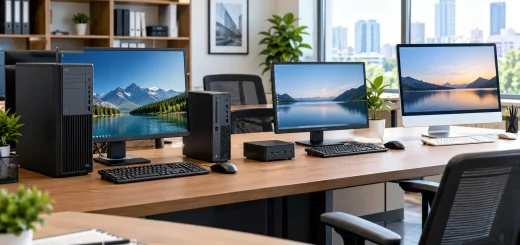
A modern office workstation features a desktop computer, monitor, keyboard, and mouse arranged for everyday business and productivity tasks.
Custom-built desktops are useful when employees require specialized hardware. For example, software developers, designers, architects, and video editors may benefit from configurations designed around their particular applications.
Small businesses can also build affordable systems using carefully selected components, provided they have access to reliable maintenance and technical support.
The best option depends on how much customization is necessary and how important standardized support is to the organization.
Pros and Cons of Custom-Built Desktop PCs
Advantages:
- Complete control over hardware selection and system configuration.
- Greater flexibility for future upgrades.
- Ability to prioritize performance according to specific workloads.
- More choices for cooling, case design, and aesthetics.
- Potential for better value through careful component selection.
Disadvantages:
- Requires hardware research and compatibility checks.
- Assembly and troubleshooting can be challenging for beginners.
- Individual components may have separate warranties.
- Professional assembly can increase the overall cost.
Pros and Cons of Prebuilt Desktop PCs
Advantages:
- Ready-to-use computer with minimal setup.
- Convenient purchasing experience.
- Manufacturer warranty and technical support.
- Suitable for beginners and business environments.
- Available in configurations for different budgets and workloads.
Disadvantages:
- Limited hardware customization in some models.
- Certain configurations may include unnecessary or unbalanced components.
- Some manufacturers use proprietary hardware.
- Upgrade options can be restricted, particularly in compact systems.
How to Choose the Right Desktop PC
Before deciding between a custom-built and prebuilt desktop, consider your actual computing requirements.
If you enjoy working with hardware, want complete control over component selection, and plan to upgrade your system over time, a custom-built PC may be the better investment.
If convenience, warranty coverage, and professional technical support are more important, a prebuilt desktop is worth considering.
Your budget should also include accessories, operating system costs, assembly charges, and any additional components required after purchase.
It is equally important to consider the computer’s expected lifespan. A system with a suitable motherboard, reliable power supply, sufficient memory, and upgrade-friendly design can remain useful for several years.
Avoid choosing a desktop based only on its processor generation or graphics card model. Evaluate the complete configuration, cooling performance, storage capacity, connectivity, and manufacturer reputation.
Final Verdict: Custom-Built or Prebuilt Desktop PC?
There is no universal winner between custom-built and prebuilt desktop PCs. Both options can provide excellent performance when selected carefully.
Custom-built desktops are ideal for enthusiasts, gamers, and professionals who want greater control over hardware, customization, and future upgrades. They provide the freedom to create a system that matches specific performance requirements and budgets.
Prebuilt desktops are better suited to buyers who prioritize convenience, straightforward setup, warranty support, and reliability. They are particularly useful for everyday computing, office environments, and users without technical hardware experience.
Ultimately, the best desktop PC is the one that meets your performance requirements without exceeding your budget. By comparing hardware specifications, total ownership costs, warranty coverage, and upgrade possibilities, you can choose a system that delivers dependable performance and long-term value.