Small Form Factor Desktop Buying Guide: How to Choose the Right Compact PC
Small form factor desktops have become a practical alternative to traditional tower PCs for users who want strong performance without sacrificing valuable desk space. These compact computers can handle everyday productivity, entertainment, creative work, and even demanding applications while taking up considerably less room.
Table of Contents
- What is a Small Form Factor Desktop?
- Decide What You Will Use It For
- Choose the Right Processor
- Consider RAM Carefully
- Storage: SSD is the Way to Go
- Integrated Graphics vs Dedicated GPU
- Pay Attention to Cooling
- Check Upgradeability
- Connectivity Matters
- Size and Placement
- Power Consumption and Noise
- Operating System and Software
- SFF Desktop vs Traditional Tower
- Final Buying Checklist
- Final Thoughts
However, choosing the right compact desktop requires more than looking at size. Cooling, processor performance, upgrade options, connectivity, storage, memory, and power consumption can all affect your experience.
What is a Small Form Factor Desktop?
A small form factor desktop, often called an SFF PC, is a desktop computer designed with a smaller chassis than a conventional tower. The goal is to reduce the physical footprint while retaining the benefits of desktop computing.

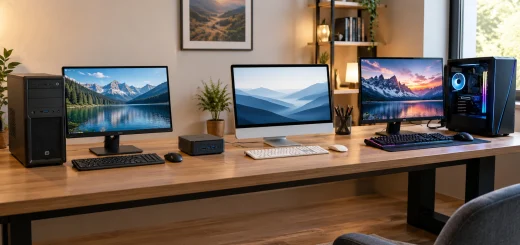
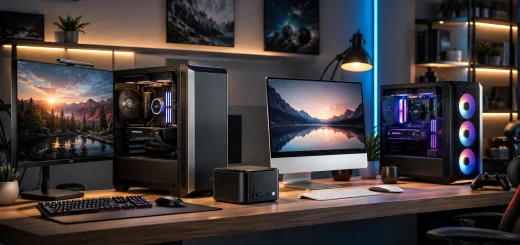
Small form factor desktop compared with a traditional tower PC on a computer desk.
SFF desktops are available in several designs. Some resemble compact rectangular boxes, while others are slim enough to sit behind a monitor or underneath a display. Depending on the model, they can include desktop-class processors, dedicated graphics, multiple storage options, and extensive connectivity.
The smaller design makes these systems especially useful for home offices, small workspaces, reception desks, media centers, and users who prefer a clean setup.
Decide What You Will Use It For
Before comparing specifications, determine what you expect your compact desktop to do.
For basic tasks such as web browsing, email, document editing, video calls, streaming, and light multitasking, you do not need an extremely powerful processor or dedicated graphics card. A modern mid-range CPU with sufficient RAM should provide a smooth experience.
For programming, photo editing, content creation, and heavier multitasking, look for a stronger processor and at least 16GB of memory. If you regularly work with large projects, 32GB or more can provide additional headroom.
Gaming and professional creative applications require more careful planning. A dedicated GPU may be necessary, but graphics cards can create additional heat and power requirements, which are particularly important in a compact chassis.
Choose the Right Processor
The processor is one of the most important components in a small form factor desktop. Modern CPUs can deliver impressive performance, but sustained workloads can place significant demands on a compact cooling system.
For office productivity and general computing, a modern entry-level or mid-range processor is usually sufficient. If you frequently compile software, edit video, render content, run virtual machines, or perform other CPU-intensive tasks, consider a higher-performance processor.

Processor and compact cooling system inside a small form factor desktop PC.
Do not judge a CPU only by its maximum clock speed. Look at the number of cores, processing architecture, efficiency, integrated graphics capabilities, and expected workload.
For a compact PC, efficiency is especially important because lower power consumption can make it easier for the cooling system to maintain consistent performance.
Consider RAM Carefully
RAM directly affects how comfortably your computer handles multiple applications.
For a basic small form factor desktop, 16GB of RAM is a good starting point for most users. Systems with 8GB may be suitable for simple tasks, but they can become restrictive when running many browser tabs and applications simultaneously.
If you work with large spreadsheets, professional software, virtual machines, development environments, or content creation applications, 32GB is worth considering.
Also check whether the RAM is upgradeable. Some compact desktops use soldered memory, while others provide accessible memory slots. Upgradeable RAM gives you more flexibility if your requirements increase later.
Storage: SSD is the Way to Go
Storage performance has a major impact on how quickly a desktop feels during everyday use.
A solid-state drive should be your priority when choosing a modern SFF desktop. SSDs provide faster boot times, application loading, and file access than traditional mechanical hard drives.

RAM modules and NVMe SSD inside an upgradeable small form factor desktop PC.
For general use, 512GB provides a reasonable balance between capacity and cost. Users who store large media libraries, games, applications, or professional projects should consider 1TB or more.
Check whether the desktop provides an additional storage slot. Having space for another SSD can be valuable if you eventually run out of storage.
Integrated Graphics vs Dedicated GPU
Graphics requirements vary dramatically between users.
Integrated graphics are sufficient for office work, streaming, everyday applications, and many light creative workloads. They also generally consume less power and produce less heat, making them well suited to compact desktops.
A dedicated GPU becomes more important for gaming, 3D modeling, advanced video editing, animation, and other graphics-intensive workloads.
However, installing a powerful graphics card in a small chassis is not always straightforward. Some SFF systems support only specific low-profile GPUs, while others cannot accommodate a dedicated graphics card at all.
If gaming is a priority, verify the exact GPU compatibility, physical dimensions, power requirements, and cooling configuration before purchasing.
Pay Attention to Cooling
Cooling is one of the most overlooked factors in a Small Form Factor Desktop Buying Guide.
Compact systems have less internal space for airflow and cooling components. A well-designed SFF desktop should use an efficient combination of fans, heatsinks, ventilation, and intelligent power management.

Cooling fans and ventilation system inside a small form factor desktop PC.
Look for reviews or specifications that indicate how the system performs under sustained workloads rather than short bursts.
A desktop that runs quietly during office tasks but becomes extremely loud under load may not be ideal if you regularly perform demanding work.
Good airflow also helps maintain long-term component performance.
Check Upgradeability
One of the biggest differences between compact desktops is how easy they are to upgrade.
Some models allow users to replace or expand RAM, storage, wireless cards, and other components. Others have highly integrated designs that leave little room for future changes.
Before buying, check whether you can upgrade:
- RAM
- SSD storage
- Wi-Fi or networking components
- Graphics hardware
- Cooling components
- Power supply
If you want a desktop that can remain useful for several years, upgradeability can be more important than having slightly better specifications at the time of purchase.
Connectivity Matters
A compact computer should not force you to compromise on connectivity.
Check the number and type of USB ports, display outputs, audio connections, networking options, and wireless standards. USB-C can be particularly useful for modern peripherals and accessories.

Small form factor desktop connected to two monitors and multiple computer peripherals.
If you plan to connect multiple monitors, confirm that the system supports your preferred display configuration. Professionals may also want faster wired networking, while home users may prioritize reliable Wi-Fi and Bluetooth.
Think about the devices you currently use and those you might add in the future.
Size and Placement
Small form factor desktops are designed to save space, but compact does not always mean tiny.
Measure the available area on your desk, shelf, or entertainment center before purchasing. Check the computer’s height, width, and depth, including the space required for cables and ventilation.
Avoid placing a compact desktop inside a tightly enclosed cabinet unless the manufacturer specifically supports that configuration. Restricted airflow can increase temperatures and fan noise.
Some SFF PCs can also be mounted behind monitors or underneath desks, providing a cleaner workspace.
Power Consumption and Noise
Power efficiency can be a major advantage of compact desktops. A system designed around efficient components may consume less electricity than a larger performance-oriented tower.
Noise is equally important, particularly if the desktop will be placed next to you while working.
A low-power system with an efficient cooling design can remain relatively quiet during everyday use. If you regularly run demanding applications, check independent testing or user experiences for information about fan noise under load.
Operating System and Software
Most small form factor desktops are sold with a preinstalled operating system, but configuration varies. Make sure the included software meets your requirements.
Business users should also consider compatibility with their productivity tools, security software, peripherals, and company applications.
If you are purchasing a barebones or DIY-style compact PC, remember that the final cost may include RAM, storage, an operating system, and other components.
SFF Desktop vs Traditional Tower
A traditional tower generally offers more internal space, easier upgrades, stronger cooling potential, and greater graphics card compatibility.
An SFF desktop, meanwhile, prioritizes compactness, efficiency, and convenience.

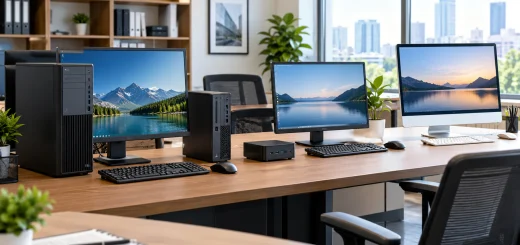
Compact small form factor desktop setup in an organized minimalist workspace.
Choose a traditional tower if you need extensive expansion or a high-end GPU. Choose an SFF desktop if saving space, reducing clutter, and maintaining a clean setup are more important.
There is no universal winner. The right choice depends on your workload and priorities.
Final Buying Checklist
Before purchasing a small form factor desktop, consider these key questions:
- Is the processor powerful enough for your workload?
- Does it have at least 16GB of RAM for general use?
- Does it include a fast SSD with enough capacity?
- Does the graphics solution match your requirements?
- Can the RAM and storage be upgraded?
- Does the chassis provide adequate cooling?
- Are the ports sufficient for your peripherals?
- Can it support your desired monitors?
- Does its physical size fit your workspace?
- Is the noise level acceptable?
- Will the system remain useful as your needs grow?
Final Thoughts
The best small form factor desktop is not necessarily the smallest or most powerful model available. Instead, it should provide the right balance between performance, size, cooling, connectivity, storage, upgradeability, and price.
For everyday productivity, a compact desktop with a modern processor, 16GB of RAM, and a 512GB SSD can provide an excellent starting point. More demanding users should prioritize stronger processors, additional memory, dedicated graphics support, and better upgrade options.
By evaluating your workload first and specifications second, you can choose an SFF desktop that delivers reliable performance while keeping your workspace compact and organized. This approach makes it easier to avoid paying for unnecessary hardware while ensuring your new computer can handle your needs for years to come.