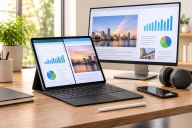
Top Accessories for Your Android Tablet: Essential Add-Ons for Productivity, Entertainment, and Everyday Use
Android tablet accessories can make your device more useful for work, education, entertainment, creativity, and everyday activities. From protective cases and stylus pens to wireless keyboards, portable stands, and external storage devices, the right accessories can significantly improve your tablet experience. Whether you use your Android tablet for taking notes, attending online classes, watching movies, playing games, or completing professional tasks, choosing suitable add-ons can enhance productivity, convenience, and functionality.
The best accessories depend on how you use your tablet. Some are designed to improve productivity, while others provide better protection, convenience, or entertainment. Here are some of the top accessories for your Android tablet that can help you get more value from your device.
Table of Contents
Protective Cases and Covers
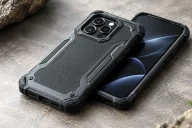
A protective case is one of the first accessories every Android tablet owner should consider. Tablets are portable devices that are frequently carried between homes, offices, classrooms, and travel destinations. Without proper protection, accidental drops, scratches, and everyday handling can damage the display or body.

A modern Android tablet protected by a premium folio case that folds into a convenient viewing stand.
Tablet cases are available in different styles, including slim covers, rugged protective cases, folio cases, and keyboard cases. A folio cover protects the front and back of the tablet while often providing a folding stand for hands-free viewing. Rugged cases offer additional protection through reinforced corners, shock-absorbing materials, and raised edges.
For everyday use, a lightweight folio case is a practical option. Students and professionals who frequently travel may prefer a more durable design with additional impact protection.
Before purchasing a case, check the exact tablet model and screen size. Even tablets with similar dimensions may have different camera placements, button positions, and speaker arrangements.
Bluetooth Keyboard
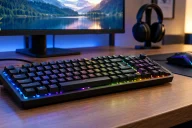
A Bluetooth keyboard can transform an Android tablet into a more convenient device for typing and productivity. Although touchscreen keyboards are suitable for short messages and basic searches, writing long documents, responding to emails, and working with spreadsheets can become uncomfortable.

An Android tablet paired with a compact wireless keyboard and mouse on a clean desk for comfortable typing and productivity.
A wireless keyboard provides a familiar typing experience without requiring a physical connection to the tablet. Most Bluetooth keyboards are compatible with multiple devices, allowing users to switch between tablets, smartphones, and computers.
Compact keyboards are particularly useful for people who travel frequently. Full-size wireless keyboards offer more comfortable key spacing and additional function keys, making them suitable for extended typing sessions.
Some keyboards also include dedicated Android shortcuts for adjusting volume, controlling media playback, and navigating applications. When choosing one, consider its battery life, connectivity, keyboard layout, and portability.
A Bluetooth keyboard paired with a protective tablet stand can create a simple mobile workstation for everyday productivity.
Stylus Pen
A stylus pen is an excellent accessory for Android tablets, especially for students, artists, designers, and professionals who regularly take handwritten notes.
Writing with a stylus feels more natural than typing when recording lecture notes, marking documents, highlighting important information, or sketching ideas. Many modern Android tablets support active styluses with features such as pressure sensitivity, palm rejection, and improved handwriting accuracy.

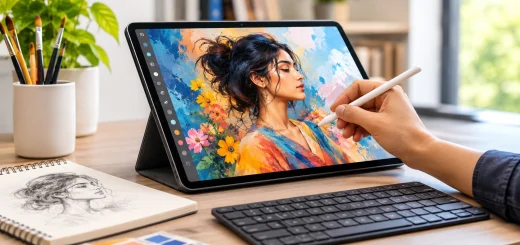
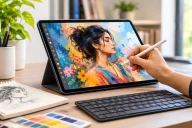
A person using a stylus pen on an Android tablet to create digital artwork and handwritten notes.
Artists can use compatible styluses for digital drawing, illustration, and photo editing. Pressure sensitivity helps control line thickness, while tilt recognition on supported devices can provide additional drawing flexibility.
However, not every stylus works with every Android tablet. Basic capacitive styluses generally function like a finger and offer limited precision. Active styluses require compatible hardware and may support advanced features.
Before buying one, check whether your tablet supports an official stylus or a compatible third-party model. This is particularly important if you need pressure sensitivity, palm rejection, or low-latency writing.
Tablet Stand
A tablet stand is a simple accessory that can significantly improve comfort and convenience. Holding a tablet for extended periods can cause hand fatigue, especially when watching videos, attending online meetings, or reading documents.

An Android tablet positioned on an adjustable desktop stand for comfortable hands-free viewing and working.
A stand keeps the tablet at a comfortable viewing angle without requiring you to hold it continuously. Adjustable models allow users to change the height and angle depending on their sitting position and activity.
Foldable stands are suitable for travel because they occupy very little space. Desktop stands provide better stability for video calls, office work, and watching movies. Some models also feature rotating bases, allowing users to switch between portrait and landscape orientations.
A sturdy stand is particularly useful when paired with a Bluetooth keyboard. Together, these accessories create a more comfortable working environment without requiring a traditional laptop.
Screen Protector
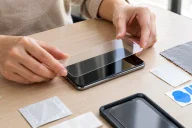
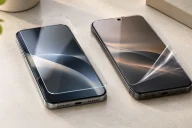
The tablet display is one of its most important and expensive components. A screen protector helps reduce the risk of scratches, fingerprints, and minor surface damage.
Tempered glass protectors are popular because they provide a smooth surface and maintain the original touchscreen experience. They are suitable for users who frequently browse, watch videos, and interact with applications.
Matte screen protectors are another option, particularly for people who use a stylus. Their textured surfaces can reduce reflections and provide a paper-like feeling when writing or drawing. However, some matte protectors may slightly affect display sharpness and colour clarity.
Privacy screen protectors are useful in public places because they limit viewing angles and make it harder for people nearby to see the display.
Choose a protector specifically designed for your tablet model to ensure proper alignment around the front camera, sensors, and display edges.
Wireless Earbuds and Headphones
Wireless earbuds and headphones can make an Android tablet more enjoyable for entertainment, communication, and productivity.
Whether you are watching movies, listening to music, attending online classes, or joining video conferences, good audio accessories provide a more personal listening experience. They also help reduce distractions when working in shared environments.
Wireless earbuds are compact and easy to carry, making them suitable for commuting and everyday use. Over-ear headphones generally provide larger drivers, comfortable cushioning, and better passive noise isolation.
Some Bluetooth audio devices also include active noise cancellation, which reduces background sounds in busy environments. This feature can be particularly useful when travelling or working in noisy locations.
When choosing wireless audio accessories, consider battery life, microphone quality, Bluetooth connectivity, comfort, and audio performance. Multipoint connectivity is another useful feature if you regularly switch between your tablet and smartphone.
USB-C Hub and Adapter
A USB-C hub can expand the connectivity options of an Android tablet, provided the tablet supports the required USB-C functions.
Many tablets have limited physical ports, which can make connecting external devices difficult. A compatible USB-C hub can provide additional connections for USB accessories, memory cards, external storage, and other peripherals.

An Android tablet connected to a multiport USB-C hub with an external SSD and USB flash drive for expanded connectivity and storage.
Depending on the tablet and hub, available connections may include USB-A ports, HDMI output, SD card readers, and USB-C power delivery. This can be particularly useful for professionals who work with files, photographers transferring images, and users connecting external displays.
However, USB-C does not automatically guarantee support for every feature. Some tablets support data transfer and charging but do not support external display output. Check your tablet’s specifications before purchasing a hub.
A compact adapter is sufficient for occasional use, while a multiport hub is more suitable for a productivity-focused setup.
External Storage and USB Flash Drives
Storage can become a limitation when using an Android tablet for photography, video editing, downloading movies, or managing large documents.
External storage devices provide a convenient way to transfer and store files without relying entirely on the tablet’s internal memory. USB-C flash drives are particularly useful because they can connect directly to compatible tablets.
Portable SSDs offer faster transfer speeds and larger storage capacities, making them suitable for professionals and content creators who regularly work with large files.
Some Android tablets also support microSD cards, allowing users to expand available storage without carrying an additional device. However, microSD support varies by model.
Before purchasing external storage, check file system compatibility, supported connection standards, and whether your tablet can provide sufficient power to the connected device.
Bluetooth Mouse
A Bluetooth mouse can make navigation and multitasking more convenient, especially when using an Android tablet for work.
Although touchscreen controls are effective for many applications, a mouse provides greater precision when selecting text, editing documents, managing spreadsheets, and navigating desktop-style interfaces.
Most modern Android tablets support external mouse connectivity. Once connected, a pointer appears on the screen, allowing users to interact with applications using familiar mouse controls.
Compact wireless mice are ideal for portable setups, while ergonomic models offer better comfort during extended working sessions. Some mice also include programmable buttons, adjustable sensitivity, and rechargeable batteries.
For users who regularly combine a keyboard and tablet stand, a Bluetooth mouse completes a practical productivity setup.
Portable Power Bank
A power bank is an essential accessory for people who frequently use their Android tablets away from a power outlet.
Although many modern tablets offer good battery life, activities such as video streaming, gaming, video conferencing, and multitasking can consume considerable power.

An Android tablet placed beside wireless earbuds and a portable USB-C power bank for entertainment and charging on the go.
A high-capacity power bank provides additional charging opportunities during travel, outdoor activities, and long working days. Models with USB-C Power Delivery are particularly useful because they can support faster charging on compatible tablets.
When choosing a power bank, consider its capacity, charging speed, number of output ports, size, and weight. Also check the tablet’s supported charging requirements to ensure compatibility.
A power bank with sufficient capacity can keep both your tablet and smartphone powered throughout the day.
Choosing the Right Android Tablet Accessories
Not every Android tablet owner needs all these accessories. The right combination depends on your daily activities, budget, and the capabilities of your device.
Students may benefit most from a stylus, protective case, screen protector, Bluetooth keyboard, and wireless earbuds. Professionals who use tablets for documents and multitasking may prefer a keyboard, mouse, USB-C hub, and external storage.
For entertainment-focused users, a tablet stand, wireless headphones, protective cover, and power bank can make everyday use more convenient. Digital artists should prioritise a compatible active stylus, a suitable screen protector, and sufficient storage.
Compatibility should always be a priority. Check the tablet’s supported connectivity standards, screen dimensions, charging requirements, and accessory compatibility before making a purchase.
Conclusion
The right accessories can turn an ordinary Android tablet into a more capable device for productivity, entertainment, creativity, and everyday convenience. A protective case and screen protector help keep the device safe, while a Bluetooth keyboard, stylus, and mouse improve productivity. Wireless headphones, tablet stands, external storage, USB-C hubs, and power banks provide additional flexibility.
Instead of purchasing every available accessory, focus on the additions that solve your everyday needs. A carefully selected combination can improve comfort, expand functionality, and extend the usefulness of your Android tablet without requiring an expensive device upgrade.