Choosing the Best Tablet Operating System: Which is Right for You?
Tablets have become essential devices for work, entertainment, education, and creativity. Whether you are streaming movies, attending online classes, managing business tasks, or creating digital artwork, the operating system (OS) plays a critical role in determining your overall experience. Choosing the right tablet OS can significantly impact performance, app availability, security, multitasking capabilities, and long-term usability.
Why the Tablet Operating System Matters
The operating system serves as the foundation of your tablet. It controls how apps run, how users interact with the device, and how efficiently the hardware performs. While tablet specifications such as processor speed, RAM, and storage are important, the OS often has a greater influence on daily usability.
A good tablet OS provides:
- Smooth performance
- Strong security features
- Access to quality apps
- Reliable software updates
- Easy multitasking
- Seamless integration with other devices
Understanding the strengths and weaknesses of each operating system can help you make a more informed purchase decision.
The Main Tablet Operating Systems
Today, the tablet market is dominated by three major operating systems:

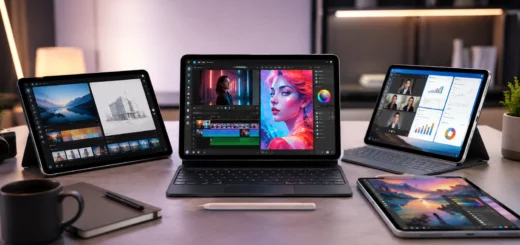
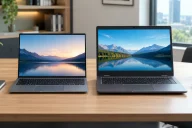
A shopper evaluates iPadOS, Android, and Windows tablets to find the best operating system for productivity, entertainment, and everyday use
- iPadOS
- Android
- Windows
Each platform offers unique advantages and is designed for different types of users.
1 iPadOS: Best for Performance and Simplicity
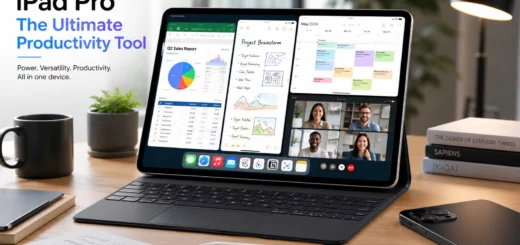
iPadOS is the operating system developed by Apple specifically for its iPad lineup. It is widely recognized for its smooth performance, intuitive interface, and extensive app ecosystem.

Professional using an iPad with stylus and keyboard for note-taking, multitasking, and graphic design tasks
Advantages of iPadOS
1. Exceptional Performance
Apple designs both the hardware and software for its tablets, resulting in excellent optimization. Even older iPads often perform smoothly for years after purchase.
2. High-Quality App Ecosystem
Many developers prioritize iPad app development, providing access to powerful applications for productivity, design, video editing, and education.
3. Long-Term Software Support
Apple regularly provides software updates for several years, helping users enjoy new features and enhanced security without needing frequent hardware upgrades.
4. Strong Security
Built-in security features, strict app review processes, and regular updates make iPadOS one of the most secure tablet platforms available.

Student using an iPad tablet to attend an online class while taking notes at a study desk, demonstrating digital learning and remote education
Ideal Users
- Students
- Creative professionals
- Business users
- Families
- Apple ecosystem users
Potential Drawbacks
- Generally more expensive than Android tablets
- Limited customization options
- Less flexibility for file management compared to Windows
2 Android: Best for Flexibility and Variety
Android powers tablets from numerous manufacturers, including Samsung, Lenovo, Xiaomi, and others. This diversity gives consumers a wide range of options across different price points.

Android tablet displaying customizable home screen widgets, custom themes, app drawer, and multitasking features
Advantages of Android
1. Wide Device Selection
Android tablets are available in budget, mid-range, and premium categories, making it easier to find a device that fits your budget.
2. Extensive Customization
Users can personalize their home screens, widgets, themes, and settings to create a highly customized experience.
3. Flexible File Management
Android offers easier access to local files, downloads, and external storage devices than many competing platforms.
4. Integration with Google Services
For users heavily invested in Gmail, Google Drive, Google Photos, and Google Workspace, Android provides seamless integration.

Person reading an ebook on a tablet while relaxing at home, showcasing digital reading and tablet-based entertainment
Ideal Users
- Budget-conscious buyers
- Android smartphone users
- Casual entertainment users
- Users who value customization
Potential Drawbacks
- Software update schedules vary by manufacturer
- Some tablet apps may not be as optimized as iPad versions
- Security quality depends on device manufacturer and update frequency
3 Windows: Best for Productivity and Professional Work
Windows tablets combine the portability of a tablet with many features of a traditional laptop. Devices such as Microsoft’s Surface lineup have made Windows tablets popular among professionals.

Windows tablet workstation with keyboard and external monitor displaying Microsoft Office applications, showcasing a portable laptop replacement for business productivity and multitasking on Windows 11 Pro
Advantages of Windows
1. Desktop Software Compatibility
Windows tablets can run full desktop applications, including Microsoft Office, Adobe Creative Cloud, accounting software, and many business tools.
2. Advanced Multitasking
Windows offers powerful multitasking features, making it suitable for users who frequently work with multiple applications simultaneously.
3. Laptop Replacement Potential
With a detachable keyboard and stylus, many Windows tablets can function as complete laptop replacements.
4. Familiar Interface
Users already comfortable with Windows PCs can transition easily to a Windows tablet.

Business professional using a Windows tablet with stylus in a modern office workspace for productivity, collaboration, and data analysis
Ideal Users
- Business professionals
- Remote workers
- Content creators
- Enterprise users
Potential Drawbacks
- Typically heavier than other tablets
- Shorter battery life compared to iPadOS tablets
- Higher price points for premium models
4 Chrome OS
- Web-Centric: Chrome OS is built around Google’s Chrome browser and is particularly suitable for users who primarily use web-based applications and services.
- Simplicity: The interface is straightforward and easy to use, making it an excellent choice for those who prefer a minimalistic approach.
- Education-Focused: Chrome OS is commonly found in educational settings due to its simplicity, low cost, and the ability for administrators to manage devices efficiently.
- App Limitations: While Chrome OS supports Android apps, it may not be as versatile as full-fledged desktop operating systems like Windows.
- Low Maintenance: Chrome OS is renowned for its minimal maintenance. It automatically updates in the background, and you don’t need to worry about antivirus software.
- Android App Support: With support for Android apps, you can access a vast selection of mobile apps on a Chrome OS tablet.
- Affordability: Chrome OS tablets are often more budget-friendly than their iOS or Windows counterparts, making them an excellent choice for those on a tight budget.
- Google Workspace Integration: If you rely on Google Workspace (formerly G Suite) for productivity, Chrome OS offers seamless integration with apps like Google Docs, Sheets, and Slides.
Key Factors to Consider When Choosing a Tablet OS
1 Purpose of Use
Your primary use case should guide your decision.
For entertainment and casual browsing, Android may be sufficient. For productivity and creativity, iPadOS excels. For professional work requiring desktop applications, Windows is often the best choice.
2 App Availability
Different platforms have different strengths.
- iPadOS offers many tablet-optimized applications.
- Android provides access to millions of apps through Google Play.
- Windows supports both tablet apps and traditional desktop software.
Consider the specific apps you rely on before making a purchase.
3 Budget
Pricing varies significantly.
- Android tablets range from affordable to premium.
- iPads generally occupy the mid-range to premium market.
- Windows tablets often target professional users and command higher prices.
4 Ecosystem Compatibility
Choosing an OS that works seamlessly with your existing devices can improve convenience.
For example:
- iPhone users may prefer iPadOS.
- Android smartphone users often benefit from Android tablets.
- Windows PC users may find Windows tablets easier to integrate into their workflow.
5 Software Updates and Security
Long-term software support improves device longevity and security.
Apple generally leads in update consistency, while premium Android manufacturers have improved significantly. Windows devices receive regular security updates through Microsoft.
Which Tablet OS is Right for You?
Choosing the best tablet operating system ultimately depends on your needs.
- Choose iPadOS if you want excellent performance, strong security, premium apps, and long-term software support.
- Choose Android if you want flexibility, affordability, customization, and a wide range of device options.
- Choose Windows if you need desktop software, advanced productivity tools, and laptop-like functionality.
Final Thoughts
The tablet operating system you choose will influence your daily experience more than almost any other feature. While hardware specifications matter, the right OS determines how effectively you can work, learn, create, and stay entertained.
Before purchasing a tablet, evaluate your budget, preferred apps, productivity requirements, and existing devices. By selecting an operating system that aligns with your needs, you’ll enjoy a more satisfying and productive tablet experience for years to come.
Whether you choose iPadOS, Android, Windows or ChromeOS, understanding their strengths and limitations will help you invest in the tablet that delivers the best value and performance for your lifestyle.