Creator Laptops vs Gaming Laptops Compared: Which Should You Buy?
Creator laptops vs gaming laptops differ in their performance priorities, display quality, graphics capabilities, cooling systems, and overall design. While creator laptops are built for tasks such as video editing, graphic design, photography, animation, and content production, gaming laptops focus on delivering high frame rates, smooth gameplay, and powerful graphics performance.
Table of Contents
- What is a Creator Laptop?
- What is a Gaming Laptop?
- Creator Laptops vs Gaming Laptops: Key Differences
- Creator Laptops vs Gaming Laptops: Comparison Table
- Can You Use a Gaming Laptop for Content Creation?
- Can You Use a Creator Laptop for Gaming?
- Which Laptop Offers Better Value for Money?
- How to Choose the Right Laptop for Your Needs
- Final Verdict
Both categories offer capable processors, dedicated GPUs, and advanced features, making them suitable for demanding applications. However, understanding their key differences can help you choose the right laptop for your budget, workload, and everyday needs.
What is a Creator Laptop?
A creator laptop is designed for professionals, freelancers, students, and enthusiasts who work with demanding creative applications. These devices prioritize a combination of processing power, graphics acceleration, display accuracy, and dependable performance.

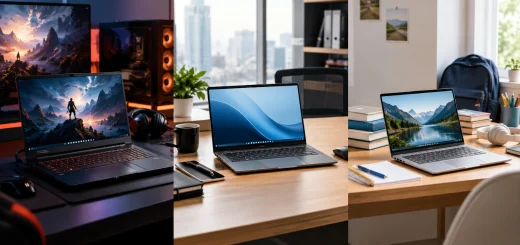
A creator laptop on a professional desk used for photography editing and other creative tasks.
Common uses include video editing, photo retouching, 3D modeling, digital illustration, animation, and audio production. Some creator laptops are optimized for professional software that benefits from certified graphics drivers or specialized hardware acceleration.
Many models feature high-resolution OLED or IPS displays with wide color gamuts and improved color accuracy. These characteristics are particularly valuable for photographers, designers, and video editors who need their work to look consistent across different screens.
Creator laptops are available in several configurations. Lightweight models focus on portability and everyday creative tasks, while high-performance workstations provide powerful processors, dedicated GPUs, and substantial memory for demanding professional workloads.
What is a Gaming Laptop?
A gaming laptop is built to run modern video games smoothly while maintaining responsive controls and visually impressive graphics. These laptops typically combine powerful processors, dedicated graphics cards, fast displays, and advanced cooling systems.

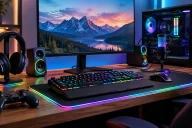
A gaming laptop with a dedicated graphics system and illuminated keyboard on a modern desk.
Gaming performance depends heavily on the GPU, although the processor, memory, storage, and cooling system also influence the overall experience. A capable gaming laptop can handle demanding games at higher graphical settings while maintaining playable frame rates.
Many gaming laptops feature displays with refresh rates of 144Hz, 165Hz, 240Hz, or higher. These panels can deliver smoother motion than conventional 60Hz displays, which is especially useful in competitive games.
Gaming laptops are also suitable for tasks beyond gaming. Their powerful hardware makes them capable of video editing, streaming, programming, 3D rendering, and other GPU-intensive applications. However, some models prioritize gaming performance and visual effects over portability, quiet operation, or professional display calibration.
Creator Laptops vs Gaming Laptops: Key Differences
1 Performance and Processing Power
Both creator laptops and gaming laptops can feature powerful processors from Intel, AMD, and other hardware platforms. The difference often lies in how the complete system is configured and optimized.
Creator laptops may prioritize sustained performance in applications such as Adobe Premiere Pro, DaVinci Resolve, Blender, and Photoshop. Depending on the workload, these applications can benefit from multiple CPU cores, strong single-core performance, hardware acceleration, and sufficient memory.
Gaming laptops are generally configured to deliver strong performance during demanding gaming sessions. Their processors are designed to work alongside dedicated GPUs to maintain high frame rates and reduce performance bottlenecks.
Neither category automatically guarantees better processing power. A high-end gaming laptop may outperform a midrange creator laptop in rendering, while a professional creator model may offer better performance in a particular production application.
Which is better? Compare the exact processor, power limits, cooling design, and application benchmarks instead of relying solely on the laptop category.
2 Graphics Performance
Graphics performance is one of the most important considerations when comparing these laptops.
Gaming laptops commonly feature NVIDIA GeForce RTX or AMD Radeon graphics, depending on the model. These GPUs are designed to handle demanding games, real-time lighting effects, high-resolution textures, and advanced graphical features.

Two high-performance laptops showing different designs for creative applications and gaming workloads.
Creator laptops may use integrated graphics, gaming-class dedicated GPUs, or professional workstation GPUs. More affordable models can handle photo editing and basic creative work, while higher-end configurations are designed for complex 3D scenes, video effects, and animation.
For professional workloads, GPU memory capacity, application compatibility, driver support, and rendering acceleration can matter as much as raw graphics performance. Certain professional applications benefit from workstation-class GPUs and certified drivers, while others perform very well on consumer graphics cards.
Which is better? Gaming laptops often deliver excellent graphics performance for the price. Creator laptops can be more suitable when specialized graphics features, professional compatibility, or specific production requirements matter.
3 Display Quality and Color Accuracy
The display is a major difference between these laptop categories, although there are exceptions.
Creator laptops frequently prioritize accurate colors, high resolution, wide color coverage, and consistent image reproduction. OLED panels are common in some premium models, while high-quality IPS displays remain popular. Features such as factory calibration and coverage of color spaces like sRGB, DCI-P3, or Adobe RGB can be important for creative professionals.

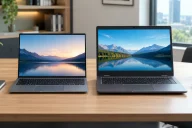
A laptop displaying a detailed landscape photograph to illustrate screen quality and color accuracy.
Gaming laptops prioritize smooth motion and responsiveness. High refresh rates, low response times, and adaptive synchronization technologies help improve the gaming experience. Some premium gaming models also offer excellent resolution and color accuracy.
For photo editing, digital art, and color-sensitive video production, a calibrated display with suitable color coverage may be more useful than an extremely high refresh rate. Competitive gamers, however, may prefer a faster panel.
Which is better? Creator laptops are often the more straightforward choice for color-critical work, while gaming laptops are attractive for high-refresh-rate gaming. Check the individual panel specifications before buying.
4 Cooling System and Thermal Management
Both categories generate considerable heat under heavy workloads, making cooling an essential part of their design.
Gaming laptops typically use multiple fans, heat pipes or vapor chambers, and dedicated cooling modes to maintain performance during long gaming sessions. Some models become noticeably loud when running demanding games.
Creator laptops also require effective cooling, particularly during video exports, 3D rendering, and other prolonged tasks. Thin creator models may sacrifice some sustained performance to maintain a compact design and quieter operation.

Laptop cooling fans, copper heat pipes, and heatsinks used to manage heat during demanding workloads.
Cooling quality affects more than temperatures. If a laptop cannot dissipate heat effectively, its processor or GPU may reduce performance to remain within safe operating limits.
Which is better? Neither category wins automatically. Look for independent thermal tests, sustained performance results, and fan-noise measurements.
5 Design, Portability, and Build Quality
Creator laptops often feature understated designs, slim profiles, and professional finishes. Many are intended for people who move between offices, studios, classrooms, and client meetings.
Gaming laptops range from relatively subtle designs to models with aggressive styling, illuminated keyboards, and prominent ventilation. High-performance configurations can be heavier because they require larger cooling systems and power adapters.
However, powerful creator laptops can also be bulky, while some gaming laptops are surprisingly portable. Battery size, screen dimensions, chassis materials, and GPU power requirements all affect mobility.
Which is better? Creator laptops often suit users who prefer a professional appearance, but compare weight and dimensions rather than assuming every creator laptop is lighter.
6 Battery Life and Everyday Use
Battery life varies significantly depending on the hardware, screen, battery capacity, and workload.
Creator laptops with efficient processors and integrated graphics may deliver good battery life during browsing, document editing, and light creative work. Some premium models are designed to balance performance with mobility.
Gaming laptops often consume more power when their dedicated GPUs are active. Playing games or performing demanding GPU-intensive work usually requires a power adapter for maximum performance.
Many gaming laptops can still handle everyday tasks efficiently when operating in an appropriate power-saving mode. Similarly, powerful creator laptops may have limited battery life during intensive rendering.
Which is better? A thin creator laptop may be preferable for frequent travel, but check real-world battery tests for the specific model you are considering.
7 Software Compatibility and Professional Features
Creator laptops may be configured for professional applications, with an emphasis on color management, media workflows, and, in some cases, workstation-class graphics support.
Gaming laptops are designed around gaming performance, but their powerful GPUs can accelerate many creative applications. They can be excellent choices for creators who use mainstream editing, design, and rendering software.
Software compatibility matters when working with specialized 3D, engineering, simulation, or scientific applications. Some professional tools benefit from certified drivers or workstation hardware, while others work perfectly well with gaming GPUs.
Before purchasing, review the system requirements for your primary applications and check whether any professional certification is necessary.
Creator Laptops vs Gaming Laptops: Comparison Table
| Feature | Creator Laptops | Gaming Laptops |
|---|---|---|
| Primary purpose | Creative production | Gaming and high-performance computing |
| Processor | Optimized for creative workloads | Optimized for gaming and multitasking |
| Graphics | Consumer or professional GPUs | Usually dedicated gaming GPUs |
| Display | Often emphasizes color accuracy | Often emphasizes refresh rate |
| Cooling | Balanced for sustained creative work | Designed for demanding gaming sessions |
| Design | Often understated and professional | Varies from subtle to gaming-focused |
| Portability | Many lightweight options | Varies; powerful models can be heavy |
| Battery life | Can be better in efficient models | Often limited under heavy workloads |
| Best use | Editing, design, photography, animation | Gaming, streaming, rendering, mixed workloads |
Can You Use a Gaming Laptop for Content Creation?
Absolutely. Gaming laptops can be excellent machines for content creators, particularly those who need powerful graphics performance without paying a premium for specialized workstation features.
A gaming laptop with a capable processor, a strong GPU, 32GB of RAM, and a fast SSD can handle demanding video editing, motion graphics, and many 3D applications. Some models also feature high-quality displays suitable for creative work.

A gaming laptop set up for video editing with a camera, headphones, and external storage on a desk.
However, display accuracy should not be overlooked. If your projects involve professional photography, print design, or color grading, consider connecting the laptop to a calibrated external monitor if its built-in screen does not meet your requirements.
You should also consider fan noise, available ports, memory upgrade options, and storage capacity. Large video projects and creative asset libraries can quickly consume SSD space.
Can You Use a Creator Laptop for Gaming?
Yes, provided the laptop has sufficient graphics performance.
Creator laptops equipped with powerful dedicated GPUs can run many modern games smoothly. Models with high-performance graphics may deliver gaming results comparable to similarly equipped gaming laptops.
The experience depends on the GPU’s power limits, cooling, display refresh rate, and game requirements. A thin creator laptop with integrated graphics will generally be less suitable for demanding games than a gaming laptop with a dedicated GPU.
Creator laptops may also lack gaming-focused features such as very high refresh rates, customizable gaming controls, or specialized gaming software. These limitations may matter more to competitive players than to casual gamers.
Which Laptop Offers Better Value for Money?
Value depends on the hardware you receive, your software requirements, and the features you actually use.
Gaming laptops often provide strong GPU performance at competitive prices. This makes them attractive for students, video editors, streamers, and hobbyist 3D artists who need powerful hardware for several tasks.
Creator laptops can justify a higher price when they offer a superior display, better portability, specialized graphics support, useful professional connectivity, or features that improve a creative workflow.
Rather than comparing prices alone, evaluate the processor, GPU, GPU power rating, memory, SSD capacity, display specifications, warranty, and upgradeability. A discounted gaming laptop may offer more raw performance, while a creator laptop may save time through a better display and more convenient design.
How to Choose the Right Laptop for Your Needs
Choose a creator laptop if your primary work involves photography, graphic design, color-sensitive editing, digital illustration, or professional creative applications. Prioritize display quality, color accuracy, sufficient RAM, storage, and reliable sustained performance.
Choose a gaming laptop if gaming is your main priority, or if you want a powerful system for gaming, streaming, video editing, and other demanding tasks. Focus on GPU performance, cooling, display refresh rate, and upgrade options.
If you are a student, freelancer, or beginner content creator, either category may work well. A gaming laptop can provide excellent performance for the money, while a creator laptop may be more convenient if portability and display quality are especially important.
For specialized engineering, simulation, or professional 3D workloads, investigate workstation-class systems and application compatibility before making a final decision.
Final Verdict
The choice between creator laptops vs gaming laptops comes down to your priorities. Creator laptops focus on creative workflows, display quality, and professional usability, while gaming laptops emphasize graphical performance, high refresh rates, and immersive gameplay.
Neither category is universally better. A well-equipped gaming laptop can be a powerful content creation machine, and a high-performance creator laptop can handle gaming comfortably.
Before buying, identify your main applications, establish a realistic budget, and compare actual hardware specifications. Choosing a laptop that matches your everyday workload will deliver better long-term value than paying extra for features you rarely use.