Top Android Photo Editing Trends: What’s Shaping Mobile Photography in 2026
Mobile photography has evolved dramatically over the past decade, and Android smartphones continue to lead the way with powerful camera systems and advanced editing capabilities. In 2026, photo editing is no longer limited to professional photographers or desktop software. Thanks to AI-powered tools, cloud processing, and intuitive mobile applications, anyone can transform ordinary photos into stunning visual content directly from their Android device.
Table of Contents
- 1 AI-Powered One-Tap Photo Enhancement
- 2 Generative AI Editing Tools
- 3 Professional-Level Portrait Retouching
- 4 Cinematic Color Grading for Mobile Creators
- 5 RAW Editing on Android Devices
- 6 Cloud-Based Editing and Syncing
- 7 Social Media Optimized Editing
- 8 Selective Editing with AI Object Recognition
- 9 Authentic and Natural Editing Styles
- 10 Advanced HDR and Computational Photography Enhancements
- 11 AI-Powered Background Editing
- 12 Personalized Editing Recommendations
- The Future of Android Photo Editing
- Conclusion
As social media platforms, content creation, and digital marketing continue to grow, photo editing trends are adapting to meet the demands of users who want professional-quality results with minimal effort. From AI-generated enhancements to cinematic color grading, Android photo editing is entering a new era of creativity and convenience. This article explores the top Android photo editing trends shaping mobile photography in 2026 and how they are changing the way users capture, enhance, and share images.
1 AI-Powered One-Tap Photo Enhancement

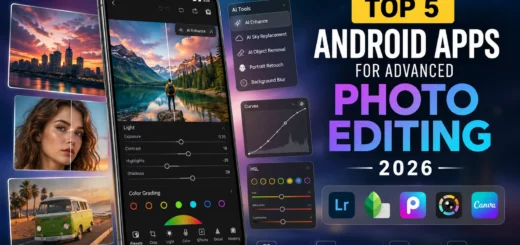
Modern Android smartphone displaying AI-powered photo editing tools, including object removal, portrait retouching, color grading, and photo enhancement features.
Artificial intelligence remains the biggest driving force behind mobile photo editing in 2026. Modern Android editing apps now use advanced machine learning algorithms to analyze photos and automatically adjust:
- Exposure
- Brightness
- Contrast
- White balance
- Sharpness
- Color saturation
Instead of manually adjusting multiple settings, users can achieve professional-looking results with a single tap. AI tools can even identify specific elements such as skies, faces, food, landscapes, and pets to apply targeted enhancements. This trend is making photo editing faster and more accessible for casual users while still delivering high-quality results.
Why It Matters
- Saves editing time
- Improves image quality instantly
- Reduces the learning curve for beginners
- Produces social-media-ready photos
2 Generative AI Editing Tools
One of the most exciting developments in Android photo editing is the rise of generative AI. These tools can create or modify image elements using simple text prompts.

A user removes an unwanted object from a travel photograph using generative AI editing tools on an Android smartphone, creating a natural and seamless result.
Users can now:
- Remove unwanted objects
- Extend image backgrounds
- Replace skies
- Add realistic elements
- Generate creative effects
For example, a user can remove a distracting object from a vacation photo and allow AI to reconstruct the missing background naturally. This technology is transforming smartphones into powerful creative studios capable of producing edits that previously required advanced desktop software.
3 Professional-Level Portrait Retouching
Portrait photography remains one of the most popular uses for smartphone cameras. In 2026, Android editing apps provide sophisticated portrait retouching features powered by AI.

Android smartphone displaying AI-powered portrait retouching tools with natural skin smoothing, facial lighting enhancement, blemish removal, and eye enhancement features.
Common enhancements include:
- Skin smoothing
- Blemish removal
- Teeth whitening
- Eye enhancement
- Hair refinement
- Facial lighting adjustments
Unlike earlier editing tools that often produced unnatural results, modern AI apps preserve realistic textures while subtly improving appearance. As a result, users can create polished portraits suitable for social media, professional profiles, and personal branding.
4 Cinematic Color Grading for Mobile Creators
Color grading is no longer reserved for filmmakers and professional photographers. Android photo editing apps now offer advanced cinematic presets inspired by popular film styles.

Android smartphone applying cinematic color grading presets to a landscape photo, enhancing colors, contrast, and visual depth for professional mobile photography.
Trending editing styles in 2026 include:
Moody Cinematic Looks
Dark shadows and dramatic contrast create a professional storytelling effect.
Warm Vintage Tones
Retro-inspired colors continue to appeal to lifestyle and travel photographers.
Teal and Orange Grading
A classic cinematic style that enhances subject separation and visual impact.
Natural HDR Enhancement
Balanced highlights and shadows preserve realistic detail while improving overall image quality. Content creators increasingly use these presets to establish consistent visual branding across social media platforms.
5 RAW Editing on Android Devices
Smartphone cameras are becoming more capable of capturing RAW image files, and Android editing software is keeping pace.

A photographer fine-tunes a RAW landscape image on an Android smartphone using professional editing controls for exposure, color correction, dynamic range, and image detail enhancement.
RAW files contain significantly more image data than standard JPEGs, allowing photographers to make extensive adjustments without sacrificing quality. Benefits of RAW editing include:
- Greater dynamic range
- Improved highlight recovery
- Better shadow detail
- More accurate color correction
- Higher editing flexibility
As mobile processors become more powerful, editing RAW photos directly on Android devices is becoming faster and more practical.
6 Cloud-Based Editing and Syncing
Cloud integration has become a standard feature in modern Android photo editing workflows.

Cloud-based photo editing with photos automatically syncing between an Android smartphone, tablet, and laptop through cloud storage.
Users can:
- Edit photos across multiple devices
- Automatically back up projects
- Access editing histories
- Synchronize presets and settings
This trend is particularly useful for content creators, photographers, and businesses managing large image libraries. Cloud-based editing ensures that photos remain accessible regardless of the device being used, creating a seamless workflow between smartphones, tablets, and computers.
7 Social Media Optimized Editing
With platforms like Instagram, TikTok, Threads, and other visual-first networks driving content consumption, photo editing apps are increasingly designed around social media requirements.

Content creator editing photos on an Android smartphone and preparing visual content for Instagram and TikTok using professional photo editing tools.
Modern Android editors provide:
- Platform-specific aspect ratios
- Auto-cropping tools
- Social media filters
- Engagement-focused enhancements
- Export optimization
Many applications even recommend edits based on current visual trends and audience preferences. This trend helps creators produce content that stands out in crowded social feeds while maintaining high image quality.
8 Selective Editing with AI Object Recognition
Selective editing tools have become significantly more intelligent in 2026. AI-powered object recognition allows users to edit specific parts of an image independently.

AI selective photo editing tool automatically detecting and enhancing the sky and background in a landscape image while preserving the foreground subject.
Examples include:
- Brightening the sky
- Enhancing subjects
- Sharpening buildings
- Adjusting background blur
- Changing colors of selected objects
Previously, these edits required complex masking techniques. Today, Android apps can identify image elements automatically and apply precise adjustments within seconds. This capability gives users greater creative control while simplifying the editing process.
9 Authentic and Natural Editing Styles
While heavily filtered images once dominated social media, audiences increasingly prefer authentic and natural-looking photos.

Photographer applying subtle photo editing adjustments to maintain realistic colors, natural lighting, and an authentic appearance in a landscape photograph.
The 2026 editing trend focuses on:
- Realistic skin tones
- Balanced colors
- Minimal retouching
- Natural lighting preservation
- Subtle enhancements
Users are moving away from exaggerated filters and embracing edits that enhance reality rather than completely transforming it. This shift reflects growing consumer demand for genuine visual storytelling and trustworthy content.
10 Advanced HDR and Computational Photography Enhancements
Computational photography continues to redefine what smartphone cameras can achieve. Android editing tools now complement computational photography by offering advanced HDR adjustments that improve:
- Highlight retention
- Shadow recovery
- Dynamic range
- Color accuracy
- Detail preservation
Combined with AI processing, these features help users create images that rival professional camera systems in many scenarios. As smartphone camera sensors continue to improve, computational photography will remain a major influence on mobile editing trends.
11 AI-Powered Background Editing
Background editing has become one of the most frequently used mobile editing features.

Android photo editing app using AI background replacement to transform a plain portrait background into a professional studio environment with realistic lighting and seamless edges.
Modern Android apps allow users to:
- Blur backgrounds naturally
- Replace backgrounds instantly
- Create studio-style portraits
- Add creative environments
- Remove distractions
AI segmentation technology can accurately separate subjects from backgrounds with impressive precision. This trend is particularly valuable for influencers, online sellers, marketers, and content creators who require professional-looking images without expensive equipment.
12 Personalized Editing Recommendations
Another emerging trend in 2026 is personalized editing powered by user behavior analysis. Photo editing applications now learn individual preferences and suggest:
- Favorite filters
- Preferred color styles
- Common adjustments
- Editing shortcuts
Over time, the software adapts to each user’s creative style, making editing faster and more efficient. This personalized approach improves user experience while helping maintain consistency across photo collections.
The Future of Android Photo Editing
The future of Android photo editing is increasingly driven by artificial intelligence, cloud technology, and computational photography. As smartphone hardware continues to evolve, mobile editing tools will become even more powerful and accessible. Future innovations may include:
- Real-time AI photo enhancement during capture
- Voice-controlled editing commands
- Fully automated editing workflows
- Advanced 3D image manipulation
- Augmented reality editing environments
These advancements will continue to blur the line between smartphone photography and professional image production.
Conclusion
Android photo editing trends in 2026 reflect a broader transformation in mobile photography. Artificial intelligence, generative editing tools, cloud-based workflows, cinematic color grading, and personalized editing experiences are reshaping how users enhance their images. Whether you’re a casual smartphone photographer, social media creator, business owner, or professional photographer, modern Android editing tools provide unprecedented creative freedom. The focus is shifting toward faster workflows, smarter automation, and more natural-looking results. As technology continues to advance, Android devices are becoming complete photography and editing ecosystems, empowering users to capture, edit, and share professional-quality images from virtually anywhere. Staying informed about these trends can help photographers and content creators maximize the potential of mobile photography in 2026 and beyond.