Fanless Desktop PCs Explained: Benefits, Uses & Buying Guide
Fanless Desktop PCs Explained starts with a simple idea: a computer can operate without traditional cooling fans. Instead of relying on spinning fans to move air through the system, a fanless desktop PC uses passive cooling, efficient components, and specially designed enclosures to manage heat. This design can make a desktop quieter, more reliable in certain environments, and easier to maintain.
Table of Contents
- What is a Fanless Desktop PC?
- How Does Passive Cooling Work?
- Key Benefits of Fanless Desktop PCs
- Limitations to Consider
- Fanless vs Traditional Desktop PCs
- Where are Fanless Desktop PCs Used?
- What Components do Fanless PCs Use?
- What Should You Look for When Buying a Fanless Desktop?
- Are Fanless Desktop PCs Good for Gaming?
- Are Fanless Desktop PCs Worth It?
Fanless computers are increasingly useful for offices, digital signage, industrial applications, home entertainment, and everyday computing. However, removing fans also creates important considerations around performance, heat management, and component selection. Understanding how these systems work can help you decide whether a fanless desktop is suitable for your needs.
What is a Fanless Desktop PC?
A fanless desktop PC is a computer designed to cool its internal components without conventional cooling fans. Instead, heat generated by the processor and other components is transferred to a heatsink or the computer’s chassis. The heat then dissipates naturally into the surrounding environment.
Many fanless systems use low-power processors because they generate less heat than high-performance desktop CPUs. Some models feature metal enclosures that act as large passive heatsinks, allowing heat to spread across the case and escape into the surrounding air.
Unlike a traditional desktop, which may contain several fans for the processor, graphics card, power supply, and case, a fanless computer can operate silently because it does not require these moving cooling components.
How Does Passive Cooling Work?
Passive cooling depends on heat transfer rather than forced airflow. When the processor becomes warm, thermal material and a heatsink transfer that heat away from the chip. The heatsink provides a larger surface area, allowing heat to spread and dissipate.
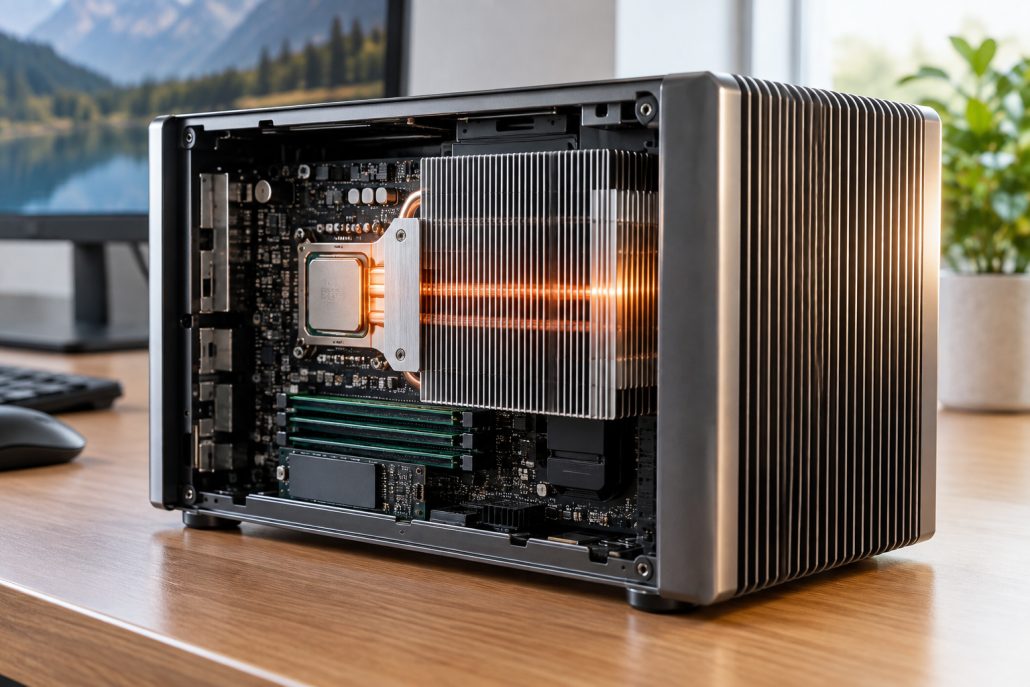
Passive cooling system with heatsink and metal chassis inside a fanless desktop PC.
In some fanless desktop designs, the heatsink is directly connected to the external chassis. The metal enclosure effectively becomes part of the cooling system.
This approach works particularly well with energy-efficient processors. Since these chips produce less heat, passive cooling can keep temperatures within acceptable operating ranges without requiring fans.
The surrounding environment also matters. A fanless PC placed in an open, well-ventilated area can dissipate heat more effectively than one enclosed inside a cabinet or surrounded by other heat-producing equipment.
Key Benefits of Fanless Desktop PCs
One of the biggest advantages of fanless desktop PCs is silent operation. Because there are no traditional cooling fans spinning inside the computer, the system can operate with little to no mechanical noise.
This makes fanless PCs attractive for quiet offices, libraries, recording environments, classrooms, bedrooms, and home theater setups.
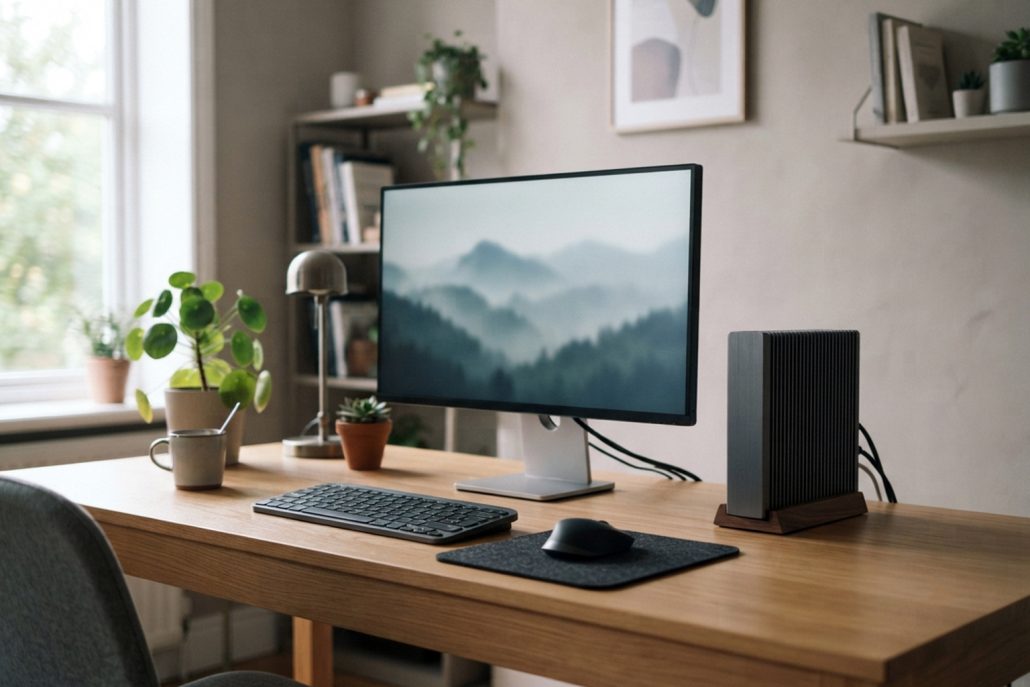
Silent fanless desktop computer in a clean modern office workspace.
Another advantage is reduced maintenance. Traditional fans collect dust over time, especially in environments with poor air quality. Dust buildup can restrict airflow and reduce cooling performance. Since fanless systems do not depend on moving air through the case, they can be less affected by dust entering through ventilation openings.
Fanless computers also have fewer moving parts. A conventional cooling fan can eventually wear out, develop bearing noise, or stop working. Eliminating that component can simplify the system and potentially improve long-term reliability.
Energy efficiency is another important benefit. Many fanless desktop PCs use low-power processors that consume relatively little electricity. This makes them useful for systems that remain powered on for long periods.
Limitations to Consider
Fanless desktop PCs are not ideal for every workload. Their biggest limitation is usually performance.
High-end processors and dedicated graphics cards can generate substantial heat when operating under heavy workloads. Cooling these components passively can require large heatsinks and specialized designs. As a result, fanless systems are generally better suited to everyday productivity, media playback, web browsing, office applications, light creative work, and specialized computing.
Another consideration is sustained performance. A processor may initially operate at high speeds, but prolonged workloads can increase temperatures. The system may then reduce processor speed to control heat. This can make a fanless PC less suitable for demanding tasks such as long video renders, advanced 3D work, heavy simulations, or high-end gaming.
Room temperature also affects passive cooling. A fanless PC operating in a cool office may perform differently from the same computer running in a hot industrial environment.
Fanless vs Traditional Desktop PCs
Traditional desktop PCs use active cooling, usually involving one or more fans. Fans move air across heatsinks and components, allowing heat to escape quickly.
This approach supports higher-performance hardware because forced airflow can remove heat more efficiently. Gaming desktops and professional workstations commonly use active cooling for this reason.
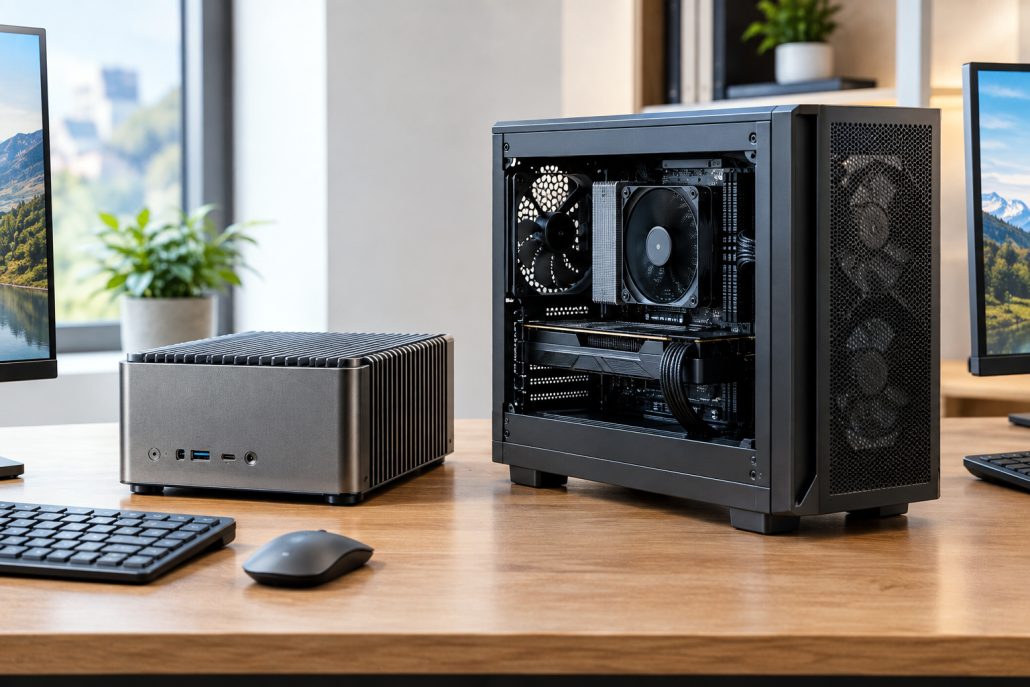
Fanless desktop PC compared with a traditional actively cooled desktop computer.
Fanless PCs take the opposite approach. They prioritize silence, simplicity, and efficient thermal management over maximum performance.
The right choice depends on the workload. If your computer is mainly used for documents, browsing, streaming, point-of-sale applications, or basic business software, passive cooling can be practical. If you need high-performance gaming, professional rendering, or intensive computational workloads, a traditional actively cooled desktop may be more appropriate.
Where are Fanless Desktop PCs Used?
Fanless desktop PCs can be found in a wide range of environments.
In offices, they can provide quiet computing for employees who spend much of the day working with documents, spreadsheets, communication tools, and web applications.
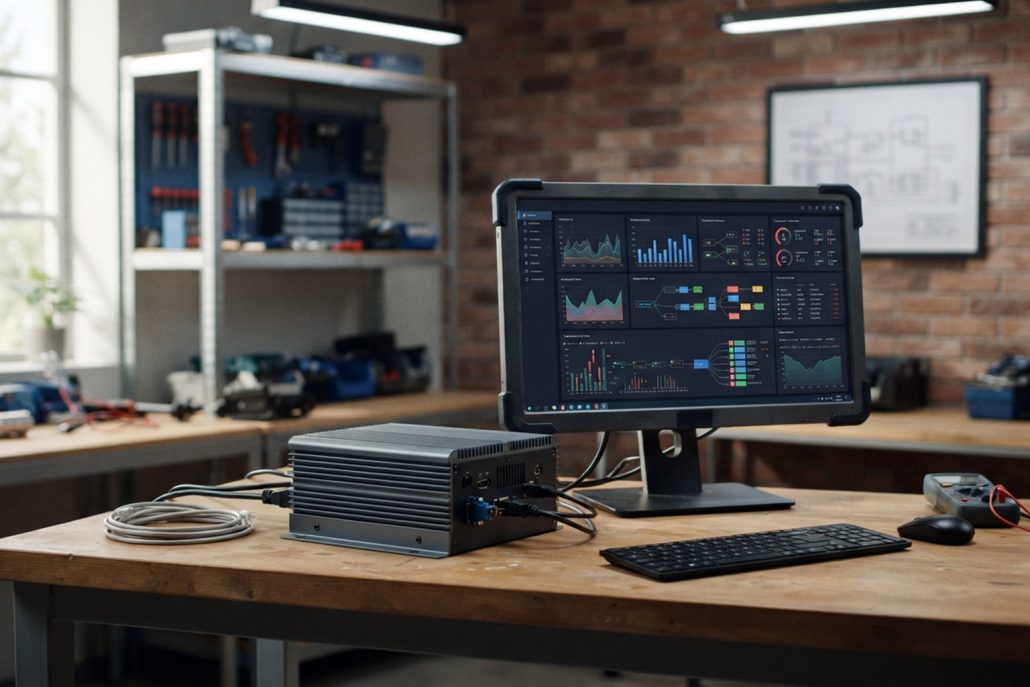
Compact fanless desktop PC used in an office and industrial computing environment.
Digital signage systems can also benefit from fanless designs because computers may operate continuously and may be installed in locations where regular maintenance is inconvenient.
Industrial environments are another important application. Specialized fanless computers can be designed for automation, monitoring, data collection, and control systems. Their sealed or semi-sealed designs can reduce exposure to dust and other environmental contaminants.
Fanless systems can also work well in retail environments, including kiosks and point-of-sale systems. Their low noise makes them less noticeable to customers and staff.
At home, a fanless desktop can serve as a compact media center, home office computer, network management system, or everyday family PC.
What Components do Fanless PCs Use?
The components inside a fanless PC are generally selected with thermal efficiency in mind. The processor is particularly important because it is one of the primary sources of heat.
Many fanless computers use energy-efficient CPUs with relatively low thermal design requirements. Integrated graphics are also common because they avoid the additional heat generated by a separate graphics card.
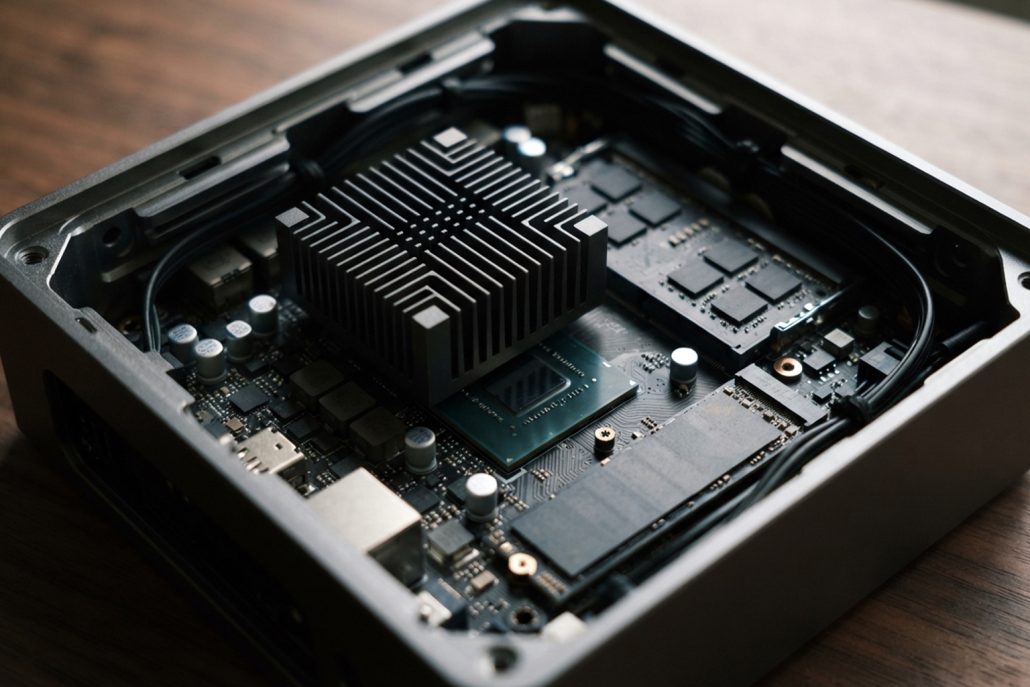
Internal components of a fanless desktop PC with passive heatsink and SSD.
Storage can be another advantage. Solid-state drives contain no moving parts and generally produce little heat compared with mechanical hard drives. Some compact fanless computers rely entirely on SSD storage.
The chassis itself can be a major component of the cooling system. Thick aluminum or other conductive materials can help spread heat away from internal components.
What Should You Look for When Buying a Fanless Desktop?
Start by considering your workload. Determine whether you need the computer for basic productivity or more demanding applications.
Next, check the processor and its power characteristics. A more powerful CPU is not automatically better if the system cannot dissipate the additional heat efficiently.

Compact fanless desktop PC with passive cooling for everyday computing.
Pay attention to the enclosure design as well. A quality passive cooling system should provide an effective path for heat to move from the processor to the external chassis.
Connectivity is another important consideration. Check for the ports you need, such as USB, HDMI, DisplayPort, Ethernet, and audio connections.
Storage and memory should also match your usage. For general computing, an SSD combined with sufficient RAM can provide a responsive experience without requiring high-power hardware.
Finally, consider the environment where the PC will operate. Temperature, ventilation, mounting position, and available space can all affect passive cooling performance.
Are Fanless Desktop PCs Good for Gaming?
Fanless desktop PCs are generally not designed for demanding modern gaming. Gaming hardware can produce considerable heat, particularly when using powerful CPUs and dedicated graphics cards.
Some compact fanless systems may handle lightweight games or older titles using integrated graphics. However, gamers who want high frame rates, advanced graphics settings, or extended gaming sessions will generally need a stronger active cooling solution.
A fanless computer can still be useful as a secondary gaming-related device for game streaming, media playback, or basic entertainment.
Are Fanless Desktop PCs Worth It?
Fanless desktop PCs can be an excellent option when silence, low maintenance, energy efficiency, and compact design are more important than maximum performance.
They are particularly suitable for everyday computing, offices, digital signage, industrial systems, kiosks, and quiet home environments. Their passive cooling design eliminates fan noise and reduces dependence on moving cooling components.
However, buyers should not choose a fanless PC simply because it is silent. The processor, chassis, thermal design, workload, and operating environment all influence performance and reliability.
For light and moderate workloads, a well-designed fanless desktop can provide a quiet and efficient computing experience. For intensive gaming, professional rendering, or sustained high-performance tasks, a conventional actively cooled desktop remains a more practical choice.
Understanding these differences makes it easier to choose the right system. A fanless desktop PC is ultimately about finding the right balance between performance, temperature, noise, power consumption, and long-term usability.