Best Tablet Dimensions for Everyday Use: How to Choose the Right Screen Size
Tablets have become useful everyday devices for browsing the internet, watching videos, reading e-books, attending online meetings, studying, and managing work. However, choosing the right tablet involves more than comparing processors, storage capacity, battery life, or display quality. Tablet dimensions also play an important role in determining how comfortable a device feels during everyday use.
Table of Contents
- Why Tablet Dimensions Matter
- Understanding Common Tablet Screen Sizes
- What are the Ideal Physical Dimensions for Everyday Use?
- Choosing the Right Tablet Dimensions for Different Activities
- How Aspect Ratio Affects Tablet Usability
- Common Mistakes to Avoid When Choosing Tablet Size
- Final Thoughts: Which Tablet Dimensions are Best for Everyday Use?
A tablet that is too small may feel restrictive when multitasking or reading documents, while a larger model can become uncomfortable to hold for extended periods. The ideal size depends on how you plan to use the device, whether you carry it frequently, and whether you prefer handheld convenience or a laptop-like experience.
Understanding tablet screen sizes, physical dimensions, weight, and aspect ratios can help you select a device that fits your lifestyle.
Why Tablet Dimensions Matter
Tablet dimensions affect portability, comfort, viewing quality, and productivity. Although screen size is usually the first specification people notice, the overall dimensions determine how easily a tablet fits into a bag, rests on a desk, or can be held with one hand.
A compact tablet is convenient for reading and travelling, while a larger tablet provides more screen space for documents, spreadsheets, drawing, and multitasking. The weight and thickness also influence how comfortable the device feels during extended use.
Before buying a tablet, consider these factors:
- Screen size: Determines the available viewing area for applications, videos, documents, and websites.
- Physical dimensions: Affect portability, storage, and how easily the tablet fits into a backpack or handbag.
- Weight: Influences handheld comfort, especially when reading or watching videos for long periods.
- Thickness: Affects how the device feels in your hands and how easily it slips into a bag.
- Aspect ratio: Determines the shape of the display and how efficiently it uses screen space for different activities.
Considering these characteristics together is more useful than selecting a tablet based on screen size alone.
Understanding Common Tablet Screen Sizes
Tablets are generally available in several screen-size categories, ranging from compact models to large productivity-focused devices.
1. Compact Tablets: 7 to 8 Inches
Compact tablets typically feature displays between 7 and 8 inches. Their small size makes them suitable for users who value portability above everything else.
These devices are easy to carry during commutes, holidays, and business trips. They are particularly useful for reading e-books, checking emails, browsing websites, viewing recipes, and watching short videos.

A person holds a compact tablet in one hand while reading comfortably in a bright living room.
Their smaller dimensions also make them easier to hold than larger tablets. However, typing long messages, editing documents, and using multiple applications simultaneously can feel restrictive.
Best for: Travellers, casual readers, children, and users who primarily consume digital content.
For everyday use, an 8-inch tablet can be a good choice if you want something larger than a smartphone without carrying a full-sized tablet.
2. Mid-Sized Tablets: 9 to 11 Inches
Tablets measuring approximately 9 to 11 inches offer a practical balance between portability and usability. This category is often the most versatile option for general everyday activities.
An 10- or 11-inch display provides enough space for comfortable web browsing, video streaming, online classes, note-taking, and reading digital documents. It also offers a more spacious keyboard than a compact tablet.

A mid-sized tablet rests on a home office desk beside a notebook and stylus for everyday activities.
These tablets are generally portable enough for daily commuting while remaining comfortable for use at home, in classrooms, or in offices. When paired with a keyboard case or stylus, many models can handle light productivity tasks.
Best for: Students, professionals, families, entertainment, online learning, and general-purpose use.
For most people looking for a single tablet that can perform several everyday tasks, the 10- to 11-inch category is an excellent starting point.
3. Large Tablets: 12 to 13 Inches
Large tablets provide a more spacious working area, making them suitable for demanding productivity and creative activities.
Their bigger displays are useful for viewing spreadsheets, annotating PDFs, editing images, drawing illustrations, and working with multiple applications. When combined with a keyboard and stand, a large tablet can serve as a lightweight alternative to a laptop for compatible workflows.

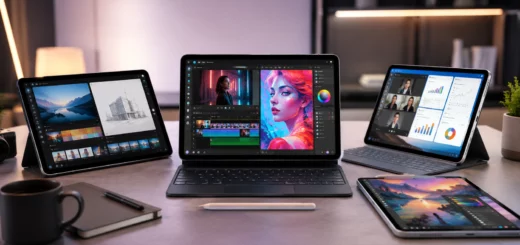
A large tablet with a detachable keyboard and stylus sits on a professional desk for work and multitasking.
However, larger tablets are usually more difficult to operate with one hand and may require a larger bag. Their weight can also become noticeable when holding them for extended periods.
Best for: Designers, artists, professionals, multitaskers, and users who frequently work with documents.
Choose this size if productivity matters more than compact portability.
4. Extra-Large Tablets: 14 Inches and Above
Some tablets feature displays measuring 14 inches or more. These devices offer extensive screen space for professional work, creative projects, and desktop-style multitasking.
Their dimensions can make them useful for digital illustration, video editing, presentations, and working with large documents. However, they are less convenient for casual handheld use and are often better suited to desks, stands, or keyboard accessories.
Best for: Creative professionals, advanced multitaskers, and users seeking a large-screen mobile workstation.
For ordinary browsing, reading, and entertainment, an extra-large tablet may offer more screen space than necessary.
What are the Ideal Physical Dimensions for Everyday Use?
Screen size does not tell the whole story. Two tablets with the same diagonal display measurement can have different heights, widths, thicknesses, and weights.
For a general-purpose tablet, a physical width of approximately 6.5 to 7.5 inches and a height of around 9 to 10 inches can provide a comfortable balance. These are approximate guidelines rather than strict requirements, as bezels and display proportions vary between models.

A slim tablet placed beside a ruler illustrates the device’s physical width and height.
A thickness of roughly 6 to 8 mm is common among slim tablets, although thicker models may provide additional features or a different design. Weight is equally important. A tablet weighing around 450 to 600 grams may be manageable for many users, but lighter models can feel more comfortable during prolonged handheld use.
If you frequently read while lying down or standing, consider a lighter tablet. If you mostly use the device on a desk, weight may be less important than screen size and performance.
Remember that protective cases, keyboard covers, and stands add extra bulk and weight. Check the complete setup rather than considering the tablet alone.
Choosing the Right Tablet Dimensions for Different Activities
The best tablet dimensions depend on your primary use case.
Reading and Web Browsing
An 8- to 10-inch tablet is suitable for reading e-books, browsing websites, and checking emails. Compact models are easier to carry, while slightly larger displays provide more room for text and web pages.
Watching Movies and Videos
A 10- to 11-inch tablet offers a good combination of screen size and portability for video streaming. If you frequently watch movies at home, a 12-inch model can provide a more immersive viewing experience.
Consider the aspect ratio, too. A wider display can be better suited to widescreen video, while other proportions may provide more useful space for reading and browsing.
Studying and Taking Notes
Students can benefit from tablets with 10- to 11-inch displays. They provide enough room for digital textbooks, handwritten notes, online classes, and PDF annotations without being excessively bulky.

A student uses a medium-sized tablet and stylus to take digital notes beside an open textbook.
If you regularly write or draw with a stylus, check whether the screen offers enough working space for your preferred tasks.
Office Work and Multitasking
For emails, documents, spreadsheets, and video meetings, a 10- to 11-inch tablet can work well. Users who frequently multitask or use a keyboard may prefer a 12- to 13-inch model.
Before replacing a laptop, verify that the tablet supports the applications, accessories, and multitasking features required for your workflow.
Gaming and Creative Work
Casual gaming works well on tablets between 8 and 11 inches. Larger displays can improve visibility in strategy games, simulation titles, and creative applications.
Artists and designers may benefit from 12-inch or larger displays, particularly when working with detailed illustrations. However, stylus responsiveness, display quality, and software compatibility remain just as important as dimensions.
How Aspect Ratio Affects Tablet Usability
Aspect ratio describes the relationship between a display’s width and height. It influences how a tablet looks and how much content fits on the screen.
A 16:10 display is a versatile choice for watching videos, browsing, and everyday entertainment. A 4:3-style display can be comfortable for reading documents, viewing PDFs, and working with certain productivity applications because it offers a more page-like shape.

A tablet displaying a widescreen landscape scene demonstrates the proportions of a wide tablet display.
Neither option is universally better. A wider display can leave unused space when reading some documents, while a squarer display may show more empty space when watching widescreen videos.
Consider the applications you use most often before deciding which display shape suits you.
Common Mistakes to Avoid When Choosing Tablet Size
One common mistake is selecting the largest available display without considering portability. A tablet that looks impressive in a showroom may become inconvenient when carried every day.
Another mistake is ignoring weight. Even a slim tablet can become tiring to hold if it is relatively heavy.
You should also avoid comparing screen sizes without checking physical measurements. Bezel thickness, aspect ratio, and design can affect the overall footprint.
Finally, do not assume a large tablet automatically replaces a laptop. Software limitations, keyboard comfort, file management, and application support can influence productivity more than screen dimensions alone.
Final Thoughts: Which Tablet Dimensions are Best for Everyday Use?
For most users, a tablet with a 10- to 11-inch display offers the best balance of portability, comfort, and versatility. It is large enough for reading, video streaming, online learning, browsing, and light productivity while remaining convenient to carry.
An 8-inch tablet is better for users who prioritise portability and reading on the go. A 12- to 13-inch tablet is more suitable for multitasking, digital art, and productivity-focused work.
Before making a purchase, compare the screen size, physical dimensions, weight, aspect ratio, battery life, and accessory options. Think about where and how you will use the device most often.
The best tablet is not necessarily the biggest or thinnest model. It is the one that provides enough screen space for your everyday activities without compromising comfort and portability.