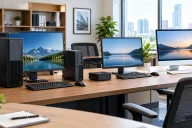
Compact Desktop PCs for Small Spaces
Finding the right computer can be challenging when desk space is limited. Compact desktop PCs for small spaces offer a practical solution for people who want desktop performance without giving up valuable room. These systems are smaller than traditional tower PCs while still providing enough power for everyday computing, office work, entertainment, and even selected creative workloads.
Table of Contents
Whether you live in a small apartment, work from a compact home office, or simply prefer a clean and organized desk, a compact desktop can make a noticeable difference. Modern small PCs can deliver strong performance while taking up only a fraction of the space required by conventional desktop towers.
What are Compact Desktop PCs?
Compact desktop PCs are computers designed with a smaller physical footprint than standard desktop towers. They can include mini PCs, small form factor desktops, ultra-compact systems, and other space-saving designs.

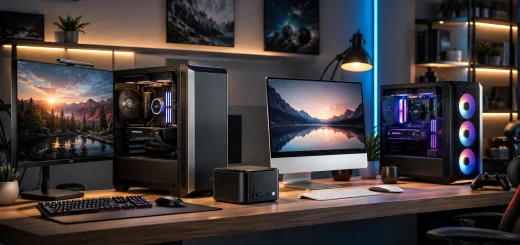
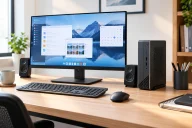
Small mini desktop computer beside a monitor.
Instead of using a large chassis with extensive internal expansion space, compact desktops prioritize efficient component placement. Many models use laptop-style processors, integrated graphics, compact cooling systems, and smaller storage configurations.
Some compact PCs are small enough to sit beside a monitor, while others can be mounted behind a display or underneath a desk. Their flexible placement makes them particularly useful for small workspaces.
Why Choose a Compact Desktop PC?
The biggest advantage is obvious: space savings. A traditional desktop tower can occupy a significant portion of a desk or floor area. A compact PC can often perform similar everyday tasks while requiring considerably less room.
Compact systems can also help create a cleaner workspace. With fewer components surrounding the monitor, there is more room for a keyboard, mouse, notebook, speakers, or other accessories.
Another advantage is portability. Although compact desktops are not designed to replace laptops, their smaller size makes them easier to move between rooms or workstations when necessary.
Energy efficiency can also be an important consideration. Many compact systems use processors designed to deliver good performance within relatively low power limits, making them suitable for long periods of everyday use.
Types of Compact Desktop PCs
Not every small desktop is designed for the same type of user. Understanding the main categories can make your buying decision easier.

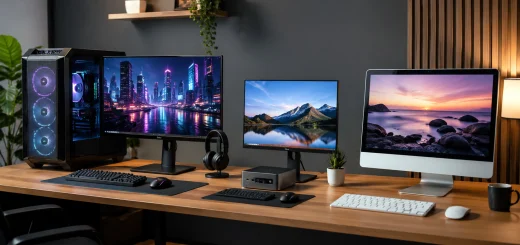
Different types of compact desktop computers.
Mini PCs
Mini PCs are among the smallest desktop computers available. They usually feature a compact rectangular chassis and are designed for everyday tasks such as web browsing, office applications, video streaming, online meetings, and light productivity.
Many mini PCs can be placed behind a monitor using a compatible mounting system. This can effectively turn a small desk into a much cleaner workstation.
Small Form Factor PCs
Small form factor PCs are slightly larger than many mini PCs but can provide more performance and upgrade flexibility. They may use desktop-class processors and have additional space for memory, storage, or expansion components.
These systems are useful when you want a compact computer without moving all the way down to an ultra-small design.
All-in-One Desktop PCs
All-in-one computers combine the display and computer hardware into a single unit. They eliminate the need for a separate desktop tower and can therefore save considerable desk space.
Their main advantage is simplicity. With fewer cables and components, an all-in-one can create a clean and organized workspace.
Stick and Ultra-Compact PCs
Some extremely small computers are designed for basic computing and can be connected directly to a display. They are useful for simple applications, digital signage, media playback, and lightweight productivity.
However, their limited cooling and hardware capabilities mean they are generally not suitable for demanding workloads.
Important Features to Consider
Choosing compact desktop PCs for small spaces involves more than looking at physical dimensions. The internal hardware should match your workload.

Compact desktop computer with monitor and peripherals.
Processor
The processor determines how well the computer handles many everyday tasks. For basic office work, browsing, streaming, and communication, an efficient mainstream processor can be sufficient.
If you regularly edit photos, work with large spreadsheets, compile software, or perform other demanding tasks, consider a compact desktop with a higher-performance processor.
RAM
Memory affects multitasking. A system with enough RAM can keep multiple applications running smoothly.
For basic use, moderate memory capacity may be adequate. Users who regularly work with numerous browser tabs, productivity applications, creative software, or development tools should consider higher memory configurations.
Storage
Solid-state storage is particularly valuable in compact desktops. SSDs provide fast boot times and responsive application loading while operating quietly.
Before buying, check both the storage capacity and whether the drive can be replaced or upgraded later.
Graphics
Integrated graphics are sufficient for many office, entertainment, and everyday productivity tasks. However, users interested in gaming, 3D work, video production, or other graphics-intensive applications may need a system with stronger graphics hardware.
Dedicated graphics cards can significantly increase the size and cooling requirements of a desktop, so they are less common in the smallest systems.
Connectivity
A compact computer should still provide enough ports for your accessories. Check for USB ports, display connections, networking options, audio connectivity, and wireless support.
If you use multiple monitors, external storage, webcams, printers, or other peripherals, make sure the available connections match your setup.
Cooling and Noise
Cooling deserves special attention in a small computer. Compact enclosures have less internal space for airflow, which means manufacturers need to carefully manage heat.
Some systems use active fans, while others rely partly on passive cooling or specially designed heatsinks. Fanless systems can be extremely quiet, but they may have different performance limitations.

Cooling system inside a compact desktop PC.
If you work in a bedroom, study area, recording space, or quiet office, noise levels can be just as important as processing performance.
Upgradeability Matters
One of the biggest differences between compact desktop PCs is how easily they can be upgraded.
Some mini PCs allow users to replace or expand RAM and storage. Small form factor desktops may offer additional upgrade options, including expansion slots or larger storage configurations.
Other ultra-compact systems have components that are difficult or impossible to replace. If you expect your computing requirements to increase over time, check upgrade options before purchasing.
Best Uses for Compact Desktop PCs
Compact desktops are particularly well suited to everyday productivity. They can handle word processing, spreadsheets, email, web browsing, video conferencing, and cloud applications without requiring a large workstation.
They can also work well as home entertainment computers. Connected to a television or large monitor, a compact PC can provide access to streaming services, media libraries, and web-based entertainment.
For students, a compact desktop can provide a dedicated study computer without consuming much desk space. Small businesses can also use compact systems for point-of-sale stations, reception desks, office workstations, and specialized applications.
Some higher-performance compact systems can handle photo editing, programming, content creation, and moderate gaming, depending on their processor and graphics capabilities.
Compact Desktop vs Traditional Tower
A traditional tower remains useful for users who need extensive expansion and powerful hardware. Larger cases generally provide more room for dedicated graphics cards, additional storage drives, cooling systems, and expansion cards.

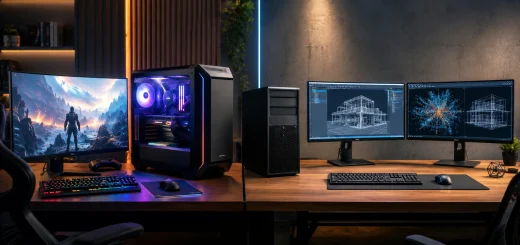
Compact desktop PC compared with a traditional tower.
Compact desktops take a different approach. They prioritize efficiency, small dimensions, and simplified setups.
If your workload does not require multiple expansion cards or high-end desktop hardware, a compact PC can provide a more practical balance between performance and workspace efficiency.
Tips for Setting Up a Compact PC
Once you choose a compact desktop, placement can make the most of your available space.
Consider mounting the computer behind your monitor if the system supports it. This can free up valuable desk area while keeping cables organized.

Compact PC setup for a small desk.
Wireless keyboards and mice can further reduce cable clutter. A monitor with integrated speakers or a USB-C hub can also simplify the setup.
For very small desks, consider using a monitor arm. Raising the display off the desk can create additional space underneath for accessories while giving the computer and other equipment a more organized home.
Final Thoughts
Compact desktop PCs for small spaces provide an effective way to enjoy desktop computing without needing a large workstation. From tiny mini PCs to more expandable small form factor systems, there are options for different performance requirements and budgets.
The key is to look beyond size. Processor performance, RAM, storage, graphics capability, connectivity, cooling, and upgradeability all influence whether a compact desktop will meet your needs.
For everyday productivity, study, entertainment, and many professional workloads, a compact PC can deliver the right combination of performance and convenience while keeping your workspace clean and efficient.