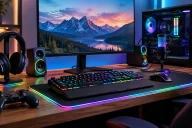
Best Gaming Monitors: How to Choose the Right Display for Gaming
Gaming monitors can make a bigger difference to your experience than simply upgrading to a more powerful graphics card. The right display can deliver smoother motion, sharper visuals, faster response times and better immersion across everything from competitive shooters to open-world adventures. However, with so many screen sizes, resolutions, refresh rates, panel technologies, and gaming features available, choosing the best gaming monitor can be confusing.
Table of Contents
- What Makes a Gaming Monitor Good?
- Choose the Right Refresh Rate
- Resolution Matters for Image Quality
- Consider Panel Technology
- Look for a Fast Response Time
- Adaptive Sync Can Improve Smoothness
- HDR Can Improve Immersion
- Pick the Right Screen Size
- Don’t Ignore Connectivity
- Best Gaming Monitor for Different Gamers
- Final Thoughts
Whether you are building a new gaming PC, upgrading an older display or looking for a monitor that can handle both gaming and everyday work, understanding the key specifications will help you make a smarter decision.
What Makes a Gaming Monitor Good?
A gaming monitor needs to do more than display an image. It should respond quickly to your actions while presenting smooth and detailed visuals. Several specifications determine how well a monitor performs during gaming.
Refresh rate, response time, resolution, panel technology, adaptive synchronization, HDR support and connectivity all influence the overall experience. The ideal combination depends on the type of games you play and the hardware inside your PC or console.
For example, competitive gamers may prioritize a very high refresh rate and extremely low response time, while players who enjoy visually impressive single-player games may prefer a higher resolution, larger screen and stronger HDR performance.
Choose the Right Refresh Rate
Refresh rate is one of the most important features to look for in the best gaming monitor. Measured in hertz (Hz), it indicates how many times the screen can refresh the image every second.
A 60Hz monitor refreshes the image 60 times per second, while a 144Hz monitor can refresh it 144 times per second. Higher refresh rates can make movement appear noticeably smoother, particularly in fast-paced games.

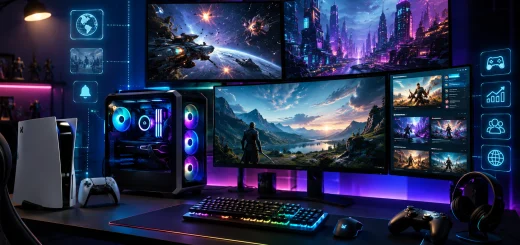
Gaming monitor delivering smooth visuals during fast-paced gameplay.
For modern gaming, 144Hz or 165Hz is an excellent starting point. Monitors offering 240Hz, 360Hz, or even higher refresh rates are particularly appealing to competitive players who want every possible advantage in fast multiplayer games.
However, buying an extremely high-refresh-rate monitor does not automatically improve performance. Your graphics card and game settings need to produce enough frames per second to take advantage of the display.
Resolution Matters for Image Quality
Resolution determines the number of pixels displayed on the screen. A higher resolution generally produces a sharper and more detailed image.
Full HD remains suitable for budget gaming systems, particularly when paired with high refresh rates. However, 1440p has become an attractive choice for many PC gamers because it offers a significant improvement in sharpness without requiring the same level of graphics performance as 4K.

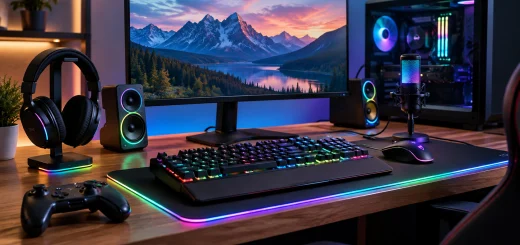
High resolution gaming monitor displaying detailed game graphics.
4K gaming monitors provide even greater detail and are ideal for powerful gaming PCs capable of driving demanding games at high resolutions. They are particularly attractive for large screens where additional pixel density can make games look much sharper.
The best gaming monitor resolution ultimately depends on your graphics card. There is little benefit in purchasing a high-resolution display if your hardware cannot consistently deliver playable frame rates at that resolution.
Consider Panel Technology
Gaming monitors generally use IPS, VA or OLED display technology, with each offering different advantages.
IPS panels are popular because they provide strong colors, wide viewing angles and increasingly fast response times. They are versatile displays suitable for competitive games, single-player titles, and everyday productivity.

Gaming monitor showing rich colors and high contrast during gameplay.
VA panels typically offer excellent contrast, making dark scenes look deeper and more immersive. They can be a good choice for gamers who enjoy horror games, cinematic adventures and other titles where contrast is important.
OLED panels provide extremely deep blacks, excellent contrast, fast response times and impressive image quality. They can deliver a premium gaming experience, although they are often more expensive and require consideration of long-term image retention.
There is no single panel type that is best for every gamer. Your priorities should determine which technology makes the most sense.
Look for a Fast Response Time
Response time measures how quickly a pixel can change from one color to another. A slower response time can result in visible ghosting or trailing behind moving objects.
For gaming, a monitor with a fast response time can produce clearer motion and make fast-moving scenes easier to follow. This is particularly useful in competitive shooters and racing games.

Fast response time gaming monitor for competitive gaming.
It is worth looking beyond a single advertised response-time number, however. Real-world performance can vary depending on the specific transition being measured and the monitor’s settings. A well-tuned gaming monitor with consistent response performance is more valuable than simply choosing the lowest number on a specification sheet.
Adaptive Sync Can Improve Smoothness
Frame rates can fluctuate during gaming, and this can cause screen tearing when the monitor and graphics card are not synchronized.
Adaptive synchronization technologies help address this problem by allowing the display’s refresh rate to adjust according to the frame rate being produced by the graphics card.
This can create smoother gameplay and reduce distracting visual artifacts. When choosing the best gaming monitor, check that it supports an adaptive sync technology compatible with your graphics hardware.
HDR Can Improve Immersion
High Dynamic Range, or HDR, can make supported games look more realistic by expanding brightness and improving the range between dark and bright areas.
A good HDR gaming experience requires more than an HDR label. Brightness, contrast, local dimming capabilities and panel technology all influence how effective HDR looks.

Gaming monitor displaying vibrant colors and high-contrast HDR visuals.
OLED monitors can produce excellent HDR contrast because individual pixels can turn off completely to display deep blacks. Some LCD gaming monitors can also provide strong HDR performance when equipped with effective local dimming and high brightness.
If HDR gaming is important to you, consider the complete display technology rather than choosing a monitor based only on HDR compatibility.
Pick the Right Screen Size
Screen size affects immersion, desk space, and viewing distance.
A 24-inch monitor can be an excellent choice for competitive gaming because it allows the entire screen to remain within your field of view. A 27-inch monitor provides a comfortable balance between screen size and desk space and works particularly well with 1440p resolution.

Ultrawide gaming monitor providing an immersive gaming experience.
Larger 32-inch displays can provide greater immersion, especially for single-player games and racing titles. Ultrawide monitors go a step further by offering a wider field of view, making them attractive for simulation, racing, strategy, and cinematic gaming.
Before choosing a large display, make sure your desk has enough space and that you can sit at an appropriate viewing distance.
Don’t Ignore Connectivity
A great gaming monitor should have the right ports for your gaming devices.
DisplayPort is commonly used for high-refresh-rate PC gaming, while HDMI is essential for connecting gaming consoles and other devices. Newer HDMI standards can be particularly important when you want to combine high resolution with high refresh rates.
USB ports can also be useful for connecting peripherals, while USB-C can provide a convenient single-cable connection for compatible laptops and devices.
Think about both your current hardware and potential future upgrades before making a purchase.
Best Gaming Monitor for Different Gamers
The best gaming monitor depends heavily on your gaming style.
For competitive gaming: prioritize high refresh rates, fast response times, low input latency and adaptive synchronization.
For immersive single-player games: consider a 1440p or 4K display with strong contrast, accurate colors and good HDR performance.
For budget gaming: a 1080p monitor with a 144Hz or higher refresh rate can provide an excellent experience without requiring an expensive graphics card.
For high-end PC gaming: a 4K high-refresh-rate monitor or premium OLED display can make the most of powerful graphics hardware.
For racing and simulation games: consider a large or ultrawide gaming monitor for a wider field of view and greater immersion.
Final Thoughts
Finding the best gaming monitor is about matching the display to your gaming hardware, preferred games and budget. Instead of focusing on one specification, consider the complete package: resolution, refresh rate, response time, panel technology, adaptive sync, HDR, screen size and connectivity.
For many gamers, a 27-inch 1440p monitor with a high refresh rate offers an excellent balance between image quality and performance. Competitive players may benefit more from extremely high refresh rates, while gamers with powerful PCs may want to step up to 4K or OLED.
The best gaming monitor is ultimately the one that complements your hardware and delivers the visual experience you want without paying for features you cannot fully use. By understanding the key specifications before buying, you can choose a display that provides smoother gameplay, better visuals, and a more enjoyable gaming experience for years to come.