Best Laptop Types Explained for Every User
Choosing the right laptop can be confusing sometimes because laptops are no longer limited to a few basic categories. Today, you can find thin-and-light laptops for everyday tasks, powerful gaming machines, professional workstations, 2-in-1 convertibles, large-screen productivity systems and affordable models designed for students.
Table of Contents
- What are the Main Laptop Types?
- 1. Traditional Laptops
- 2. Ultraportable Laptops
- 3. 2-in-1 Convertible Laptops
- 4. Gaming Laptops
- 5. Creator Laptops
- 6. Business Laptops
- 7. Mobile Workstations
- 8. Budget Laptops
- 9. Chromebooks
- 10. Large-Screen Laptops
- How to Choose the Best Laptop Type
- Important Laptop Features to Consider
- Final Thoughts
Understanding the different laptop types makes it easier to choose a device that matches your work, budget, portability needs and performance expectations. Whether you are a student, professional, creator, gamer or casual user, there is a laptop type designed for your needs.

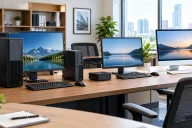
Different types of laptops arranged on a modern workspace.
What are the Main Laptop Types?
Laptop types are generally differentiated by their design, performance, screen size, operating system, portability, and intended use. Some laptops focus on mobility and battery life, while others prioritize graphics performance or professional workloads.
The most common laptop types include:
- Traditional laptops
- Ultraportable laptops
- 2-in-1 convertible laptops
- Gaming laptops
- Creator laptops
- Business laptops
- Mobile workstations
- Budget laptops
- Chromebooks
- Large-screen laptops
Let’s explore each type and understand who should consider it.
1 Traditional Laptops
Traditional laptops feature a conventional clamshell design with a screen that opens and closes but does not normally fold completely backward. They remain one of the most versatile laptop types for general computing.
These laptops are available in a wide range of configurations, from affordable models for basic tasks to premium systems with powerful processors and large amounts of memory.
A traditional laptop can handle activities such as web browsing, document editing, video streaming, online meetings, schoolwork, and office applications.
Best for: Students, home users, office workers, and general-purpose computing.
Why choose one: They offer a practical combination of performance, usability, features and price.
2 Ultraportable Laptops
Ultraportable laptops are designed for people who frequently carry their computers. They typically feature slim bodies, lightweight construction, efficient processors, and long battery life.
Many ultraportable models use compact displays between approximately 13 and 14 inches. Their smaller dimensions make them convenient for commuting, travel, meetings, and working from different locations.

Slim ultraportable laptop used for mobile work.
The trade-off is that extremely thin laptops may provide fewer ports and less upgradeability than larger systems. Some also prioritize efficiency over maximum performance.
Best for: Travelers, students, remote workers, writers, and professionals who value portability.
Why choose one: An ultraportable laptop is ideal when low weight and mobility are more important than maximum processing power.
3 2-in-1 Convertible Laptops
A 2-in-1 laptop combines traditional laptop functionality with tablet-style flexibility. Its touchscreen can usually rotate or fold backward into different positions.
Depending on the design, a 2-in-1 may be used as a conventional laptop, tablet, tent-style device, or presentation display.

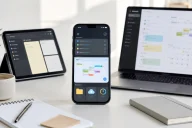
2-in-1 convertible laptop folded into tablet mode.
This flexibility is particularly useful for taking notes, drawing, watching videos, reading and giving presentations. Some models also support a stylus for handwriting and creative work.
Best for: Students, professionals, artists, travelers and other users who want both laptop and tablet functionality.
Why choose one: It provides more ways to interact with the computer without requiring separate devices.
4 Gaming Laptops
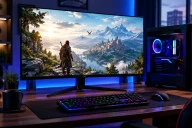
Gaming laptops are built around high-performance processors, dedicated graphics, fast displays, advanced cooling systems and responsive keyboards.
Modern gaming laptops are not limited to gaming. Their powerful hardware can also support demanding applications such as video editing, 3D rendering, animation, and other graphics-intensive workloads.

Gaming laptop designed for demanding games and high performance.
However, gaming laptops are generally heavier and can consume more power than thin-and-light models. Their fans may also become noticeable during intensive workloads.
Best for: Gamers, streamers, 3D users, and performance-focused consumers.
Why choose one: Dedicated graphics and powerful hardware provide the performance needed for demanding games and applications.
5 Creator Laptops
Creator laptops are designed for photographers, video editors, graphic designers, musicians, animators, and professionals working with demanding creative software.
They often combine powerful processors and dedicated graphics with high-quality displays. Screen characteristics such as resolution, color accuracy, brightness, and contrast can be particularly important for creative professionals.

Creator laptop used for photo and video editing.
Compared with gaming laptops, creator-focused models may place greater emphasis on display quality, professional design, portability and quiet operation.
Best for: Video editors, photographers, designers, content creators and digital artists.
Why choose one: They balance processing power with display quality and professional features.
6 Business Laptops
Business laptops are designed for professional environments and everyday productivity. They commonly emphasize reliability, security, comfortable keyboards, connectivity and long-term usability.
Features can include fingerprint readers, webcam privacy mechanisms, business-focused security technologies, durable construction, and extensive connectivity.

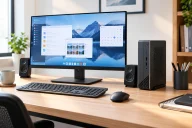
Business laptop used for professional office work.
Business laptops are available in both lightweight and performance-oriented configurations, allowing users to select a system based on their workload.
Best for: Office employees, entrepreneurs, managers, consultants, and remote professionals.
Why choose one: They are designed around productivity, security, reliability, and professional use.
7 Mobile Workstations
Mobile workstations are among the most powerful laptop types. They are designed for professional workloads that require substantial processing or graphics performance.
Engineers, architects, developers, scientists, designers, and other professionals may use mobile workstations for computer-aided design, simulations, engineering applications, 3D modeling, and professional content creation.
These laptops can include high-performance processors, professional graphics hardware, large amounts of RAM, and fast storage.
Best for: Engineers, architects, 3D professionals, developers, and technical users.
Why choose one: A mobile workstation provides desktop-class capabilities in a portable format, although it can be expensive and relatively heavy.
8 Budget Laptops
Budget laptops focus on affordability while providing enough performance for basic computing.
They are suitable for browsing the internet, writing documents, attending online classes, managing email, watching videos, and using lightweight applications.
The lower price can mean compromises in areas such as display quality, storage capacity, processing performance, speakers, or build materials. However, modern budget laptops can still provide a useful everyday computing experience.
Best for: Students, casual users, families, and basic home computing.
Why choose one: They provide essential laptop functionality without requiring a large investment.
9 Chromebooks
Chromebooks are laptops built around Google’s ChromeOS. They are designed primarily for web-based computing and cloud-connected applications.
Their simple software environment can make them easy to use and maintain. They are particularly popular in education and for users whose computing needs revolve around web browsing, documents, email, video calls, and online services.
Chromebooks vary considerably in design, performance, display quality, and price.
Best for: Students, web-focused users, schools, and people who primarily use cloud applications.
Why choose one: They offer a straightforward computing experience for users whose needs are centered around the web.
10 Large-Screen Laptops
Large-screen laptops typically feature displays of 15 inches or more and are designed for users who want additional workspace.
The larger display can be useful for spreadsheets, multitasking, editing photos and videos, gaming, and watching content. Larger laptops may also provide more room for keyboards, cooling systems, storage, and connectivity.
The main disadvantage is portability. A large-screen laptop can be less convenient to carry compared with a compact ultraportable.
Best for: Desktop replacement users, gamers, creators, office professionals, and multitaskers.
Why choose one: A larger display makes working with multiple applications and detailed content more comfortable.
How to Choose the Best Laptop Type
The best laptop type depends on how you plan to use the computer rather than simply choosing the most powerful model.
For students, portability, battery life, keyboard comfort, and affordability are often important. An ultraportable, budget laptop, Chromebook, or 2-in-1 can be suitable depending on the student’s applications.
Professionals may benefit from business laptops that provide security, connectivity, durability, and productivity features.
Gamers should pay particular attention to graphics performance, cooling, display refresh rate, and upgrade options. A gaming laptop is usually the appropriate category for demanding PC gaming.
Content creators should consider processor performance, dedicated graphics, memory, storage, and display quality. Creator laptops and mobile workstations can be appropriate for demanding creative applications.
For general home use, a traditional laptop can provide the right balance of performance and price without unnecessary specialized features.
Important Laptop Features to Consider
Once you select a laptop type, compare individual specifications carefully. The processor affects general performance, while RAM influences multitasking. Storage capacity determines how many applications and files you can keep locally.
The display also matters. Consider screen size, resolution, brightness, refresh rate, and panel quality based on your usage.
Battery life is especially important for students and mobile professionals. Port selection should also be considered if you regularly connect external monitors, storage devices, cameras, or other accessories.
Build quality, keyboard comfort, webcam quality, speakers, wireless connectivity, upgradeability, and warranty support can also affect the long-term experience.
Final Thoughts
The wide variety of laptop types means users can choose a computer specifically suited to their lifestyle and workload. Ultraportable laptops emphasize mobility, gaming laptops focus on performance, 2-in-1 models provide flexibility, creator laptops support demanding creative work, and business laptops prioritize professional productivity.
There is no single laptop type that is perfect for everyone. The right choice depends on your applications, performance requirements, portability expectations, and budget.
By understanding what each laptop category is designed to do, you can narrow down your choices and focus on the features that actually matter for your everyday computing needs.